
If you are early in your structural career and wood is new to you, the NDS Supplement can look intimidating — dozens of tables, cryptic footnotes, symbols like Fb and Emin. This guide walks you through it the way a senior engineer would explain it at your desk: what each table is for, when you reach for it, and the few habits that keep you out of trouble.
 NDS Supplement 2024 · © American Wood Council
Two documents work together:
- The NDS Specification — the rulebook. It contains the equations and the adjustment factors.
- The NDS Supplement (full name: Design Values for Wood Construction) — the data. It contains the tabulated numbers: sizes, section properties, and reference design values.
This guide is about the Supplement — the data. By the end you will be able to open it, find the right row, and know what to do with the number you read.
#Start here: the mental model
Almost every wood calculation answers three questions, in order. If you keep them separate, the Supplement stops being a maze.
- How big is the member? → its geometry: area A, section modulus S, moment of inertia I.
- How strong is the wood? → its reference design values: bending Fb, shear Fv, compression Fc, tension Ft, bearing Fc⊥, stiffness E and Emin.
- Does it work? → combine the two with NDS equations and compare the demand (what the loads cause) against the adjusted capacity (what the member can take).
The Supplement gives you the answers to questions 1 and 2. The Specification handles question 3.
| You need… | Look in… |
|---|---|
| Sizes and section properties (A, S, I) | Series 1 (Tables 1A–1D) |
| Strength of sawn lumber | Series 4 (Tables 4A–4G) |
| Strength of glued laminated timber (glulam) | Series 5 (Tables 5A–5D) |
| Strength of round timber (piles, poles) | Series 6 (Tables 6A–6B) |
This isn't just our framing — it mirrors how the Supplement is organized. Its opening pages give a short Table of Contents and a List of Tables:
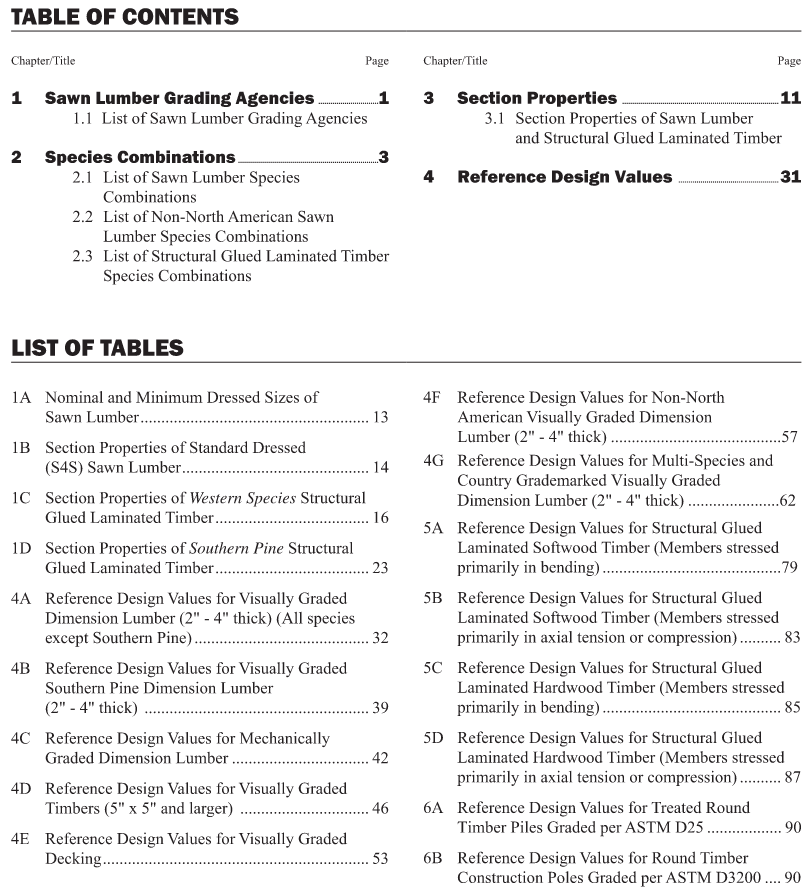
Figure: The NDS Supplement's own Table of Contents and List of Tables. The book follows the same logic as this guide — Section Properties (Series 1) for geometry, then Reference Design Values for strength (Series 4 sawn lumber, 5 glulam, 6 round timber). The earlier sections — grading agencies and species combinations — are background reference.
One thing to internalize early: the Supplement gives reference design values. They are starting numbers. You almost never use them as-is — you multiply them by adjustment factors (for load duration, moisture, size, temperature, stability, and more) to get the adjusted design values, written with a prime: F′b, F′c, and so on. Reference values come from the Supplement; the factors come from the Specification.
#A note on the cross-section
The Supplement labels rectangular sections the same way for sawn lumber and glulam: b is the width, d is the depth. The X-X axis is the strong axis (bending about it uses the large Sx, Ix); the Y-Y axis is the weak axis. Get in the habit of asking "which way is the load bending this member?" before you read a section property.
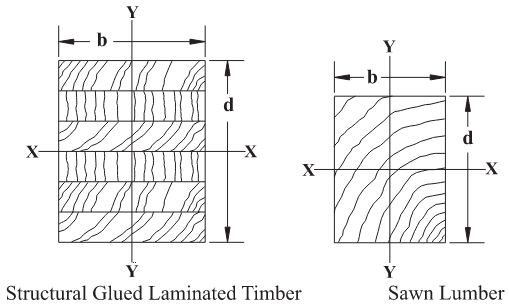
Figure: the width b, depth d, and the X-X / Y-Y axes, shown for glulam (left) and sawn lumber (right).
#How lumber is sized
Here is the first thing that trips up new engineers. A "2×4" is not 2 in by 4 in. Those are nominal sizes — the rough dimensions before the mill planes the board smooth. Almost all framing lumber is S4S ("surfaced four sides"), meaning all four faces are planed, which shaves the section down. A nominal 2×4 is actually 1½ in × 3½ in.
So whenever you do real math, you use the dressed (actual) size, not the nominal label.
- Table 1A converts nominal → dressed. Reach for it when you need the actual b and d themselves — for shear (which depends on b·d), for bearing area, and for connection geometry (edge distances, spacing — all measured from real dimensions).
- Table 1B saves you the arithmetic: it lists the section properties (A, S, I) already computed for every standard dressed size. Reach for it when you need S for a bending check or I for a deflection check.
A simple way to remember it: need a stress or deflection value → Table 1B; need a raw dimension → Table 1A.
#Series 1 — Section properties
These are your geometry tables — pure numbers about the shape, with no strength involved yet.
| Table | What it covers |
|---|---|
| 1A | Nominal vs minimum dressed (actual) sizes of sawn lumber |
| 1B | Section properties (A, S, I, weight) of standard dressed sawn lumber |
| 1C | Section properties of Western species glulam |
| 1D | Section properties of Southern Pine glulam |
Why two glulam tables (1C and 1D)? Glulam is built up from thin boards (laminations) glued together, and the two main supply regions build it differently. Western species (Douglas Fir and others) and Southern Pine use different standard widths and lamination thicknesses (Southern Pine laminations are often thinner). Different geometry, different table.
A small thing that confuses people: in glulam, you can stack more laminations to make a deeper beam without changing its width. The weak-axis radius of gyration ry depends only on the width, so it stays the same as the beam gets deeper. Seeing the same ry repeated down a column is normal, not a typo.
Lumber size categories (worth knowing because they decide which strength table applies):
- Boards — less than 2 in thick.
- Dimension lumber — 2 to 4 in thick (your everyday 2× and 4× framing).
- Timbers — 5 in × 5 in and larger.
#Reading the Series 1 table headers
The column headings are mostly self-explanatory, but a few cause real confusion the first time. Here is every column, table by table.
Table 1A — Nominal and Minimum Dressed Sizes of Sawn Lumber
| Item | Thickness (in) | Face Widths (in) | ||||
|---|---|---|---|---|---|---|
| Nominal | Minimum dressed | Nominal | Minimum dressed | |||
| Dry | Green | Dry | Green | |||
- Item — the description of the size group (the row label).
- Thickness (in) — the smaller cross-section dimension; Face Widths (in) — the larger dimension (the wide face). Each is given as Nominal and Minimum dressed.
- Nominal — the rough call-out size you say out loud (the "2" and "4" in a 2×4).
- Minimum dressed — the actual planed size you design with, split into two moisture states:
- Dry — moisture content ≤ 19 % (lumber in normal in-service condition). This is the column you almost always use.
- Green — freshly sawn, moisture > 19 %. The dressed size is slightly larger because the board is milled oversize to allow for shrinkage. Only use Green if the lumber is specified and installed green.
The Dry-vs-Green split is the one subtlety here: wood shrinks as it dries, so a green board is cut a hair oversize so it lands on the standard dressed size once dry. Design with Dry unless told otherwise.
Table 1B — Section Properties of Standard Dressed (S4S) Sawn Lumber
| Nominal Size b × d | Standard Dressed Size (S4S) b × d (in) | Area of Section A (in2) | X-X AXIS | Y-Y AXIS | Approximate weight in pounds per linear foot (plf) of piece when density of wood equals: | |||||||
|---|---|---|---|---|---|---|---|---|---|---|---|---|
| Section Modulus Sx (in3) | Moment of Inertia Ix (in4) | Section Modulus Sy (in3) | Moment of Inertia Iy (in4) | 25 plf3 | 30 plf3 | 35 plf3 | 40 plf3 | 45 plf3 | 50 plf3 | |||
- Nominal Size b × d — the call-out size; Standard Dressed Size (S4S) b × d — the actual dimensions used in every calculation (b = width, d = depth).
- A — Area of Section (in²) — cross-sectional area; used for axial stress and, with the dimensions, for shear.
- X-X AXIS — the strong axis (member bending the tall way):
- Sx (in³) — section modulus about X-X → use for bending stress (fb = M / Sx).
- Ix (in⁴) — moment of inertia about X-X → use for deflection.
- Y-Y AXIS — the weak axis (member bending flat): Sy and Iy are the same two properties about the weak axis. Use these only when the load bends the member the weak way.
- Approximate weight … (plf) — the self-weight per foot at several wood densities (25–50 plf³). Pick the column closest to your species' density to get the member's own dead load; most dry softwood framing is about 30–35 plf³.
The thing to get right is which axis: strong-axis (X-X) values are the larger ones and cover the normal case of a joist or beam standing on edge. Reach for Y-Y only when the member is loaded flatwise.
Need the numbers themselves? Every size in Table 1B, from 1×3 boards up to 24×24 timbers, is on the free lumber section properties table with its dressed size, A, and S and I about both axes. It leaves out the weight columns: for self-weight in plf, multiply A (in²) by the wood's density (plf³) and divide by 144.
Tables 1C & 1D — Section Properties of Glulam (Western Species / Southern Pine)
| Depth d (in) | Area A (in2) | X-X Axis | Y-Y Axis | |||
|---|---|---|---|---|---|---|
| Ix (in4) | Sx (in3) | rx (in) | Iy (in4) | Sy (in3) | ||
| Depth d (in) | Area A (in2) | X-X Axis | Y-Y Axis | |||
|---|---|---|---|---|---|---|
| Ix (in4) | Sx (in3) | rx (in) | Iy (in4) | Sy (in3) | ||
The two tables have identical columns; only the species region differs — and with it the standard lamination thickness and therefore the list of available depths.
- Depth d (in) — overall beam depth (number of laminations × lamination thickness).
- A (in²) — cross-sectional area.
- X-X Axis (strong, the usual orientation):
- Ix (in⁴) — moment of inertia → deflection.
- Sx (in³) — section modulus → bending.
- rx (in) — radius of gyration about X-X → member slenderness for buckling about the strong axis.
- Y-Y Axis (weak): Iy (in⁴) and Sy (in³) — the same properties about the weak axis.
These tables are listed by depth within a width block, because you make a glulam deeper by stacking more laminations without changing its width. (As noted above, the weak-axis radius of gyration depends only on width, so it repeats down the column as the beam gets deeper — that's expected, not a misprint.)
#Series 4 — Sawn lumber strength
Now we move from "how big" to "how strong." Series 4 gives the reference design values for solid sawn lumber.
#First, how the wood was graded
Every piece of structural lumber carries a grade, and there are two ways it gets one:
- Visually graded — a trained inspector (or an approved scanner) looks at knots, slope of grain, splits, and assigns a grade like No. 2 or Select Structural. This is the default. If a drawing says "No. 2 DF-L" with nothing else, it means visually graded.
- Machine graded (MSR/MEL) — each board is run through a machine that measures its stiffness and sorts it. This gives more consistent numbers and is common in trusses.
In day-to-day practice — especially residential and light commercial — you are almost always working with visually graded lumber, most often No. 2 Douglas Fir-Larch or a Spruce-Pine-Fir group.
#The Series 4 tables
| Table | Use it for |
|---|---|
| 4A | Visually graded dimension lumber, all species except Southern Pine (Douglas Fir-Larch, Hem-Fir, Spruce-Pine-Fir, …) |
| 4B | Visually graded Southern Pine dimension lumber |
| 4C | Machine-graded (MSR / MEL) lumber |
| 4D | Visually graded timbers (5×5 and larger) |
| 4E | Structural decking (heavy tongue-and-groove plank) |
| 4F | Imported (non-North-American) species |
| 4G | Multi-species groups sold under one stamp |
For most projects you live in 4A, occasionally 4B (Southern Pine country) and 4D (heavy timber posts and beams).
#Two habits that prevent real mistakes
- Southern Pine (Table 4B) already bakes in the size effect. For most lumber you must apply a size factor CF by hand. For Southern Pine dimension lumber, that adjustment is usually already inside the tabulated number — do not apply it twice. Always read the table's column headings and footnotes.
- Fb and E can follow different footnotes in the same table. Don't read across one row and assume every value shares the same notes. Check the footnote that applies to each value you pull.
#The grade ladder
From strongest to weakest, the common structural grades run: Select Structural → No. 1 → No. 2 → No. 3 / Stud → Construction / Standard / Utility. No. 2 is the workhorse of everyday framing.
#Reading the Series 4 table headers
All four Series 4 tables share one idea: a row identifies the species/grade and size class, and the columns give the reference design values in psi. Learn the columns once and they read the same everywhere.
Table 4A — Visually Graded Dimension Lumber (all species except Southern Pine)
| Species and commercial grade | Size classification | Design values in pounds per square inch (psi) | Specific Gravity4 G | Grading Rules Agency | ||||||
|---|---|---|---|---|---|---|---|---|---|---|
| Bending | Tension parallel to grain | Shear parallel to grain | Compression perpendicular to grain | Compression parallel to grain | Modulus of Elasticity | |||||
| Fb | Ft | Fv | Fc⊥ | Fc | E | Emin | ||||
- Species and commercial grade — what you put on the drawings, e.g. Douglas Fir-Larch, No. 2.
- Size classification — the size band the row applies to (e.g. "2″–4″ thick, 2″ & wider"). The same species/grade can list different values in different size classes. Three grades stop short: Construction, Standard and Utility are tabulated for 2″–4″ wide members only (4″ wide in Table 4B) — a 2×6 Construction has no reference values at all. StructSuite grays those rows once a wider section is selected, and clears the grade if you pick a wider section afterwards, rather than designing on the narrow values.
- Design values (psi):
- Fb — Bending — extreme-fiber stress in bending; the headline beam number.
- Ft — Tension parallel to grain — axial tension along the grain.
- Fv — Shear parallel to grain — longitudinal ("horizontal") shear in a beam.
- Fc⊥ — Compression perpendicular to grain — bearing stress across the grain, at supports and bearing points. (Remember: this value is not increased for load duration.)
- Fc — Compression parallel to grain — axial compression along the grain; the column/post number.
- Modulus of Elasticity — E and Emin: E for deflection and everyday stiffness; Emin is the reduced value for stability (column buckling CP, beam lateral-torsional buckling CL).
- G — Specific Gravity — relative density of the wood; used for connection (fastener) design, not for member stress.
- Grading Rules Agency — which agency's grading rules (WWPA, NLGA, etc.) the listed values are tied to.
Two pairs trip people up: Fc vs Fc⊥ (compression along vs across the grain — a column versus a bearing seat) and E vs Emin (sag versus buckling). Keep them straight and Series 4 becomes routine.
The banner "USE WITH TABLE 4A ADJUSTMENT FACTORS" is the Supplement reminding you these are reference values: pair each one with its footnotes and the NDS 4.3 adjustment factors before you design.
Table 4B — Visually Graded Southern Pine Dimension Lumber
| Species and commercial grade | Size classification | Design values in pounds per square inch (psi) | Specific Gravity6 G | Grading Rules Agency | ||||||
|---|---|---|---|---|---|---|---|---|---|---|
| Bending | Tension parallel to grain | Shear parallel to grain | Compression perpendicular to grain | Compression parallel to grain | Modulus of Elasticity | |||||
| Fb | Ft | Fv | Fc⊥ | Fc | E | Emin | ||||
The columns are identical to 4A — Fb, Ft, Fv, Fc⊥, Fc, E, Emin, G. The difference lives in the footnotes: for Southern Pine dimension lumber the size effect is usually already built into the tabulated values, so you generally do not apply a separate size factor CF. Always read the table's notes before adjusting.
Table 4C — Mechanically Graded (MSR / MEL) Dimension Lumber
| Commercial grade | Size classification | Design values in pounds per square inch (psi) | Grading Rules Agency | ||||
|---|---|---|---|---|---|---|---|
| Bending | Tension parallel to grain | Compression parallel to grain | Modulus of Elasticity | ||||
| Fb | Ft | Fc | E | Emin | |||
Notice this header is shorter — it has fewer strength columns:
- Commercial grade — machine grades are written as the strength itself, e.g. 1650f-1.5E (Fb = 1650 psi, E = 1.5 × 10⁶ psi).
- Size classification, then the design values: Fb, Ft, Fc (compression parallel), E, Emin, and the Grading Rules Agency.
- There is no Fv or Fc⊥ column. Machine grading sorts boards by stiffness, which sets Fb and E; shear (Fv) and perpendicular bearing (Fc⊥) don't depend on that sort, so for those you fall back to the values for the same species in Table 4A (per the table's footnotes).
Table 4D — Visually Graded Timbers (5″ × 5″ and larger)
| Species and commercial Grade | Size classification | Design values in pounds per square inch (psi) | Specific Gravity4 G | Grading Rules Agency | ||||||
|---|---|---|---|---|---|---|---|---|---|---|
| Bending | Tension parallel to grain | Shear parallel to grain | Compression perpendicular to grain | Compression parallel to grain | Modulus of Elasticity | |||||
| Fb | Ft | Fv | Fc⊥ | Fc | E | Emin | ||||
Same columns as 4A (Fb, Ft, Fv, Fc⊥, Fc, E, Emin, G). It is a separate table because large timbers are graded under different rules and carry a different size-effect treatment than 2″–4″ dimension lumber — so a 6×8 post reads its numbers here, not in 4A.
#Series 5 — Glulam strength
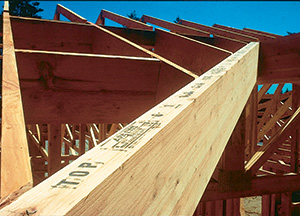 A glulam beam — graded boards (laminations) glued into one large member. The horizontal glue lines are visible along the face. · © APA – The Engineered Wood Association
Glued laminated timber (glulam) is engineered by gluing graded boards into large members. Series 5 gives its reference design values, and the key idea is that how a glulam member will be loaded decides which table you use.
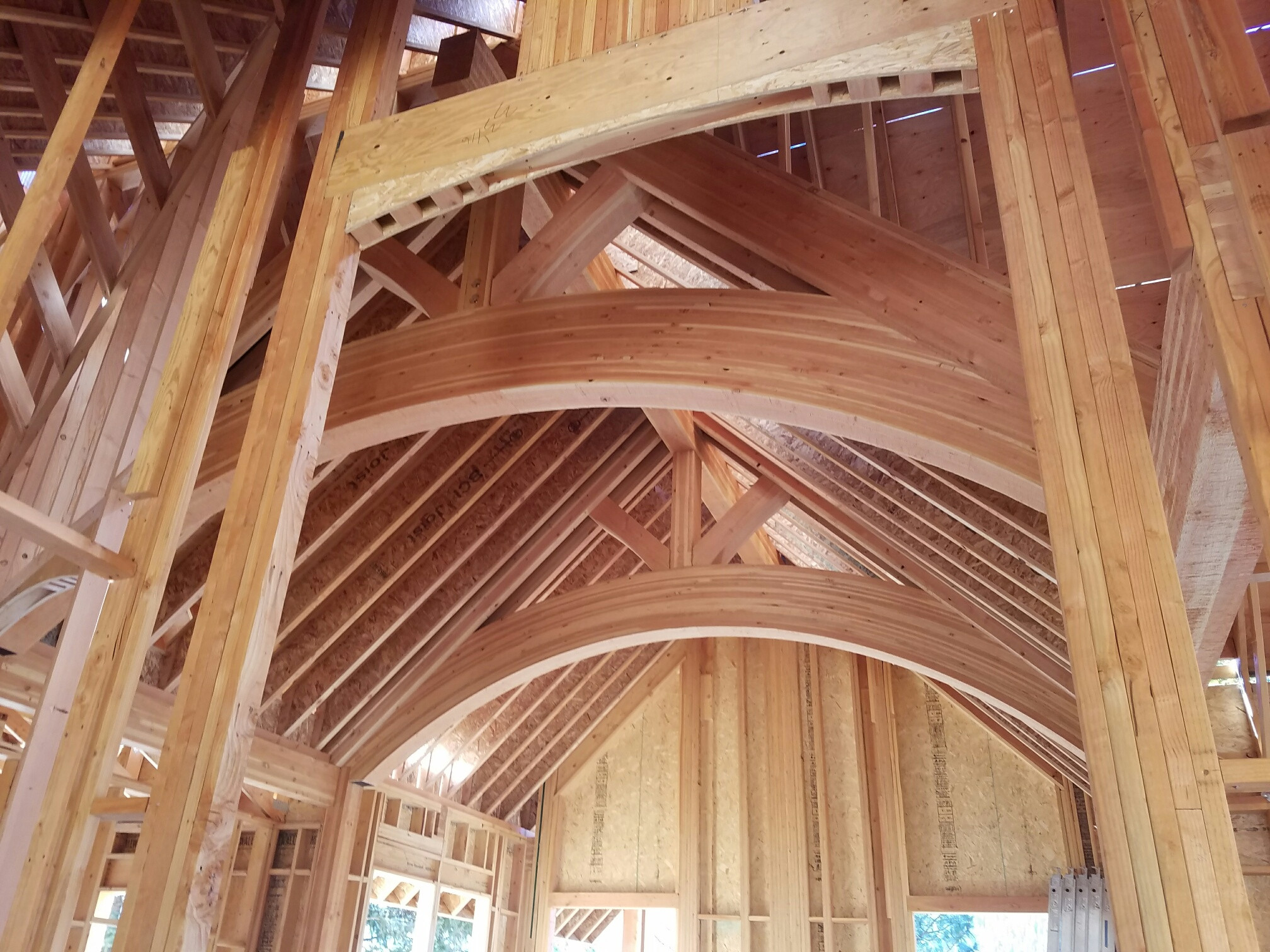
Because the laminations are bent and glued in a press, glulam isn't limited to straight prismatic beams — it can be shaped into curved arches and tapered members that sawn timber could never achieve, while still being designed from the same Series 5 reference values.
| Table | For members loaded primarily in… | Typical members |
|---|---|---|
| 5A | Bending | Beams, headers, girders, rafters |
| 5B | Axial tension/compression | Columns, posts, truss chords |
| 5C | Bending — hardwood glulam | Rare in buildings |
| 5D | Axial — hardwood glulam | Rare in buildings |
Why split bending from axial? Because the manufacturer arranges the laminations differently for each. A bending member (5A) gets its strongest boards on the top and bottom faces, where bending stress is highest. An axial member (5B) is graded more evenly through the depth, because axial stress is uniform across the section. Picking the right table means your numbers match how the member is actually built.
#Reading glulam labels
You'll see labels like 24F-1.8E:
- 24F → reference bending strength Fb = 2400 psi (the leading number × 100).
- 1.8E → modulus of elasticity E = 1.8 × 10⁶ psi.
As a designer you usually specify a stress class like 24F-1.8E and let the fabricator choose the exact lamination recipe (you'll also see "combination" codes like 20F-V3 on shop drawings — those are the manufacturer's specific layups).
#Reading the Series 5 table headers
Glulam headers look busy because a single table has to describe a member that can be loaded two different ways (about X-X or Y-Y) and reports three kinds of stiffness. Take them block by block and they become manageable.
Table 5A — Glulam Stressed Primarily in Bending (beams)
| Stress Class | Bending About X-X Axis Loaded Perpendicular to Wide Faces of Laminations | Bending About Y-Y Axis Loaded Parallel to Wide Faces of Laminations | Axially Loaded | Fasteners | ||||||||||||
|---|---|---|---|---|---|---|---|---|---|---|---|---|---|---|---|---|
| Extreme Fiber in Bending | Compression Perpendicular to Grain | Shear Parallel to Grain | Modulus of Elasticity | Extreme Fiber in Bending | Compression Perpendicular to Grain | Shear Parallel to Grain | Modulus of Elasticity | Tension Parallel to Grain | Compression Parallel to Grain | Specific Gravity for Fastener Design | ||||||
| Bottom of Beam Stressed in Tension (Positive Bending) | Top of Beam Stressed in Tension (Negative Bending) | For Deflection Calculations | For Stability Calculations | For Deflection Calculations | For Stability Calculations | |||||||||||
| Fbx+ (psi) | Fbx– (psi) | Fc⊥x (psi) | Fvx (psi) | Ex true (106 psi) | Ex (106 psi) | Ex min (106 psi) | Fby (psi) | Fc⊥y (psi) | Fvy (psi) | Ey true (106 psi) | Ey (106 psi) | Ey min (106 psi) | Ft (psi) | Fc (psi) | G | |
Each row is a Stress Class (e.g. 24F-1.8E). Two of them carry an SP suffix — 28F-2.1E SP and 30F-2.1E SP — because every layup listed under them in Table 5A-Expanded is Southern Pine; StructSuite offers those two only when Southern Pine is the selected species (the species choice also picks the size table, 1C or 1D, and the exponent in the volume factor). The columns are grouped by how the beam is oriented:
- Bending About X-X Axis — "Loaded Perpendicular to Wide Faces of Laminations." This is the normal way a glulam beam is used: laminations stacked horizontally, load pushing down across them.
- Extreme Fiber in Bending — two values, and this is the #1 source of confusion:
- Fbx+ — bottom of beam stressed in tension (positive bending). Use this for ordinary sagging spans, where the bottom face is in tension. Glulam is built asymmetric — the highest-grade tension laminations are placed on this designated bottom face — so Fbx+ is the larger value.
- Fbx− — top of beam stressed in tension (negative bending). Use this wherever the top fiber is in tension: cantilevers, the negative-moment region over a continuous support, or a beam installed upside-down. It is usually smaller, because that face carries lower-grade laminations.
- Fc⊥x — Compression perpendicular to grain — bearing across the laminations (at the supports).
- Fvx — Shear parallel to grain — beam shear.
- Modulus of Elasticity — three columns: Ex true (the true, shear-free modulus, used when you account for shear deflection separately), Ex (the apparent modulus, which already includes shear deformation — the everyday deflection value), and Ex min (the reduced modulus for stability / lateral-torsional buckling).
- Extreme Fiber in Bending — two values, and this is the #1 source of confusion:
- Bending About Y-Y Axis — "Loaded Parallel to Wide Faces of Laminations." The same beam turned on its side. The mirror set — Fby, Fc⊥y, Fvy, Ey true, Ey, Ey min — applies when the load bends the member about its weak axis.
- Axially Loaded: Ft (tension parallel to grain) and Fc (compression parallel to grain) — for when a bending member also carries axial load.
- Fasteners — G — specific gravity for connection design.
Three things to remember on 5A: (1) Fbx+ vs Fbx− — positive (bottom in tension, normal sag) versus negative (top in tension, cantilever/continuous); (2) X-X vs Y-Y — load perpendicular versus parallel to the glue lines; (3) E vs Etrue vs Emin — apparent (deflection) versus shear-free versus stability.
Table 5B — Glulam Stressed Primarily in Axial Tension or Compression (columns/posts)
| Combination Symbol | Species | Grade | All Loading | Axially Loaded | Bending about Y-Y Axis Loaded Parallel to Wide Faces of Laminations | Bending About X-X Axis Loaded Perpendicular to Wide Faces of Laminations | Fasteners | |||||||||
|---|---|---|---|---|---|---|---|---|---|---|---|---|---|---|---|---|
| Modulus of Elasticity | Compression Perpendicular to Grain | Tension Parallel to Grain | Compression Parallel to Grain | Bending | Shear Parallel to Grain | Bending | Shear Parallel to Grain | Specific Gravity for Fastener Design | ||||||||
| For Shear-Free Deflection Calculations | For Beam Deflection Calculations | For Stability Calculations | 2 or More Laminations | 4 or More Laminations | 2 or 3 Laminations | 4 or More Laminations | 3 Laminations | 2 Laminations | 2 Laminations to 15 in Deep | |||||||
| Etrue (106 psi) | E (106 psi) | Emin (106 psi) | Fc⊥ (psi) | Ft (psi) | Fc (psi) | Fc (psi) | Fby (psi) | Fby (psi) | Fby (psi) | Fvy (psi) | Fbx (psi) | Fvx (psi) | G | |||
A 5B row is a Combination Symbol with its Species and Grade. The layout is built around axial members but still carries the bending columns you need for combined axial-plus-bending checks:
- All Loading — properties that apply no matter how the member is loaded: Modulus of Elasticity as Etrue (shear-free deflection), E (beam deflection), and Emin (stability); plus Fc⊥ (compression perpendicular to grain / bearing).
- Axially Loaded — the heart of this table:
- Ft — Tension parallel to grain (listed for 2 or more laminations).
- Fc — Compression parallel to grain, given in two sub-columns by lamination count — "4 or more laminations" versus "2 or 3 laminations." A column built from only a few laminations is graded differently, so its Fc differs. Read the sub-column that matches how many laminations your member actually has.
- Bending about Y-Y Axis (loaded parallel to wide faces) — Fby split into 4 or more / 3 / 2 laminations (again, lamination count changes the value), plus Fvy shear.
- Bending About X-X Axis (loaded perpendicular to wide faces) — Fbx (for 2 laminations up to 15 in deep) and Fvx shear.
- Fasteners — G — specific gravity for connection design.
5B's signature trap is the lamination count: Fc and Fby carry different values for 2, 3, or 4-plus laminations. Always match the column to your member's actual number of laminations.
#Series 6 — Round timber
Series 6 covers round wood members:
- Table 6A — treated round piles (graded to ASTM D25), used in foundations.
- Table 6B — round poles (graded to ASTM D3200), used in pole barns and similar structures.
#Designing a round column: the equivalent-square method
Most round wood members you'll actually design are simple solid round posts or columns, and the NDS gives a clean shortcut for them in Section 3.7.3: design the round section as a square of the same cross-sectional area. You convert the diameter to an equivalent square, then use ordinary square-section formulas:
A  = π·D² / 4        →  cross-sectional area of the round member
b  = d = √A          →  side of the equivalent square
I  = b·d³ / 12       →  moment of inertia of that square
S  = I / (d/2)       →  section modulus
This is conservative by design: matching areas gives a square with a slightly smaller I than the true circle, so buckling and bending checks come out a little safe — which is exactly what the code intends. For the column stability factor, round members use c = 0.85 (sawn lumber uses 0.80, glulam 0.90). The strength values themselves come from the sawn lumber tables for the chosen species and grade.
#E vs Emin
Wood actually has two stiffness numbers in the tables, and new engineers often grab the wrong one. They do different jobs:
| Symbol | What it's for |
|---|---|
| E | Deflection and everyday stiffness checks ("will this floor bounce?") |
| Emin | Stability — column buckling and beam lateral-torsional buckling. It feeds the stability factors CP (columns) and CL (beams) |
So: checking how much a beam sags → E. Checking whether a slender column or unbraced beam will buckle → Emin.
One more habit: bearing (Fc⊥) is not increased for load duration. Most strength values get a load-duration factor CD; perpendicular-to-grain bearing does not. Leave CD out of bearing checks.
#Putting it together
Here's the full sequence on a simple beam, start to finish:
- Pick a trial size — say a 4×10. Get A, S, I from Table 1B (and the actual b, d from 1A if you'll check shear or bearing).
- Pick the material — say Douglas Fir-Larch No. 2. Read Fb, Fv, Fc⊥, E, Emin from Table 4A.
- Adjust the values — apply the NDS factors (load duration CD, wet service CM, size CF, beam stability CL, and so on) to turn reference values into adjusted values (F′b, F′v, …).
- Check each limit state — bending (F′b), shear (F′v), bearing (F′c⊥), deflection (E), and stability (Emin). The member works if demand ≤ adjusted capacity for every one.
When you feel lost on any wood problem, come back to three questions: What size? (Series 1) What material values? (Series 4 or 5) What equation? (the NDS limit state).
#Beyond the Supplement: engineered wood products (LVL, LSL, PSL)
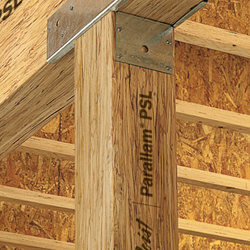 A Parallam PSL post — the same strand material used as a column. PSL is the strongest of the three SCL types and the one you'll most often see carrying concentrated loads. · © Weyerhaeuser
Walk through any lumberyard and you'll see beams that weren't sawn from a log and aren't glulam either — they're structural composite lumber (SCL): wood veneers or strands sliced thin, dried, coated with adhesive, and pressed back into a billet that's then resawn to size. Because the natural defects — knots, slope of grain — get chopped up and dispersed, SCL is stronger, stiffer, and far more consistent than sawn lumber of the same size.
Three SCL types show up in everyday building design. They differ by what gets glued together:
| Type | Made from | Relative strength | Typical use |
|---|---|---|---|
| PSL — Parallel Strand Lumber | Long clipped veneer strands (~8 ft × ⅛ in), all parallel | Highest | Heavy beams, headers, and columns |
| LVL — Laminated Veneer Lumber | Thin full-width veneer sheets (~⅒ in), grain parallel | Medium–high | Beams, headers, rim board, I-joist flanges |
| LSL — Laminated Strand Lumber | Shorter flaked strands (~12 in), fast-growing species | Lowest of the three | Studs, rim board, light headers, millwork |
The three look different up close — and that difference is exactly the what gets glued together from the table above:
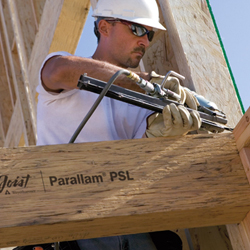
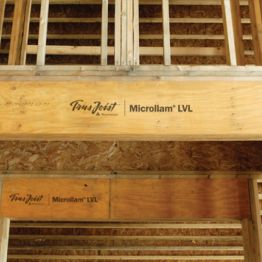
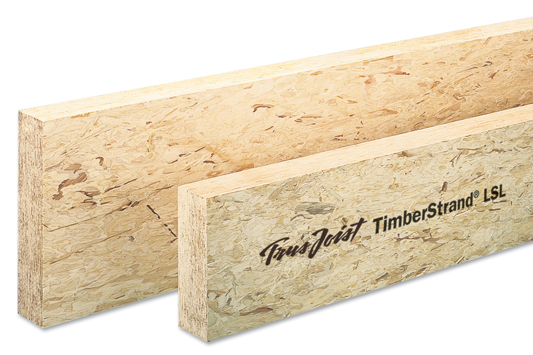
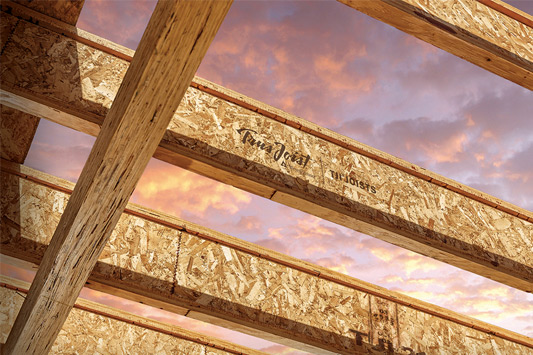
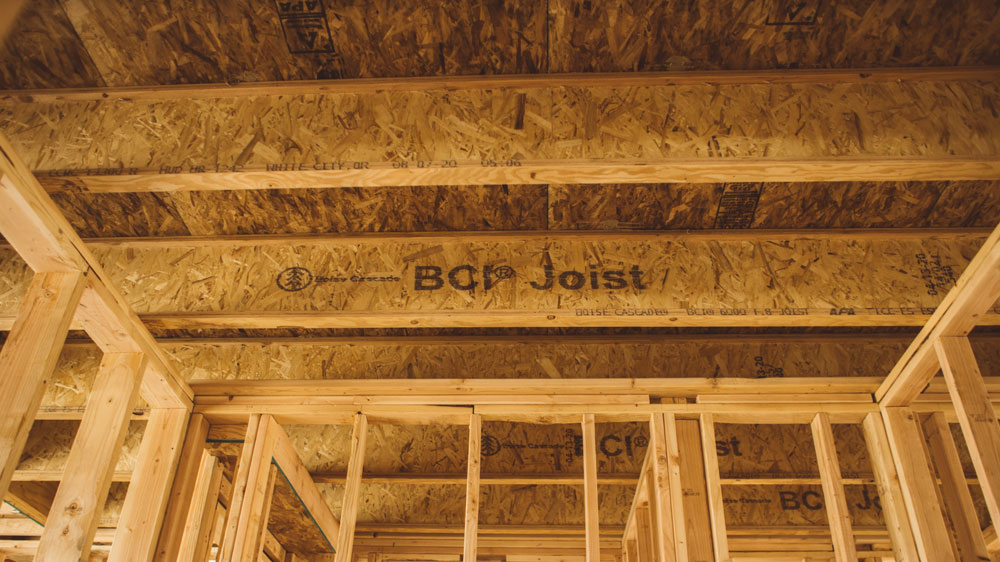
(A fourth engineered product, the I-joist, pairs an LVL or sawn-lumber flange with a plywood/OSB web; StructSuite's Wood & Steel Beam module offers them under its I-Joist product category.)
#These values are not in the NDS Supplement
This is the key idea. Series 1–6 cover sawn lumber, glulam, and round timber — all generic, graded materials any mill can produce. SCL is proprietary: every manufacturer presses its own billet with its own veneers and adhesive, so its design values are unique to that product and are not tabulated in the NDS Supplement. Instead, each product carries an ICC-ES Evaluation Report (ESR) that publishes its reference values — Fb, Fv, E, Emin, Fc. When you design SCL, the ESR is your "Supplement."
#Which manufacturers StructSuite uses — and why LVL has two
Because SCL is brand-specific, StructSuite carries named products, not a generic "LVL." Here is exactly what sits behind each category:
| Category | Product(s) in StructSuite | Manufacturer | Source report |
|---|---|---|---|
| LVL | Microllam and Versa-Lam | Weyerhaeuser · Boise Cascade | ESR-1387 · ESR-1040 |
| LSL | TimberStrand | Weyerhaeuser | ESR-1387 |
| PSL | Parallam | Weyerhaeuser | ESR-1387 |
Each source report above links to the manufacturer's actual ICC-ES Evaluation Report — open it and you can verify the published Fb, Fv, E and other design values against what the tool shows. The I-joists in the Wood & Steel Beam module trace the same way: Weyerhaeuser TJI → ESR-1153, Boise Cascade BCI → ESR-1336, and LP SolidStart / PWT → ESR-1305. (Georgia-Pacific GPI joists were dropped from the tool: the line was discontinued after GP sold its engineered-lumber business in 2016, and APA withdrew its report — an archived copy survives at APA PR-L276 if you need to evaluate one in an existing structure.)
Two more LVL lines are in production in North America and carry their own current reports — Roseburg RigidLam → ESR-1210 and Pacific Woodtech PWT LVL → ESR-2909. Whichever SCL product lands on your desk, its design values live in an evaluation report like these, never in the NDS Supplement — and the first thing to confirm is that the report is still live: brands get sold and reports get quietly withdrawn.
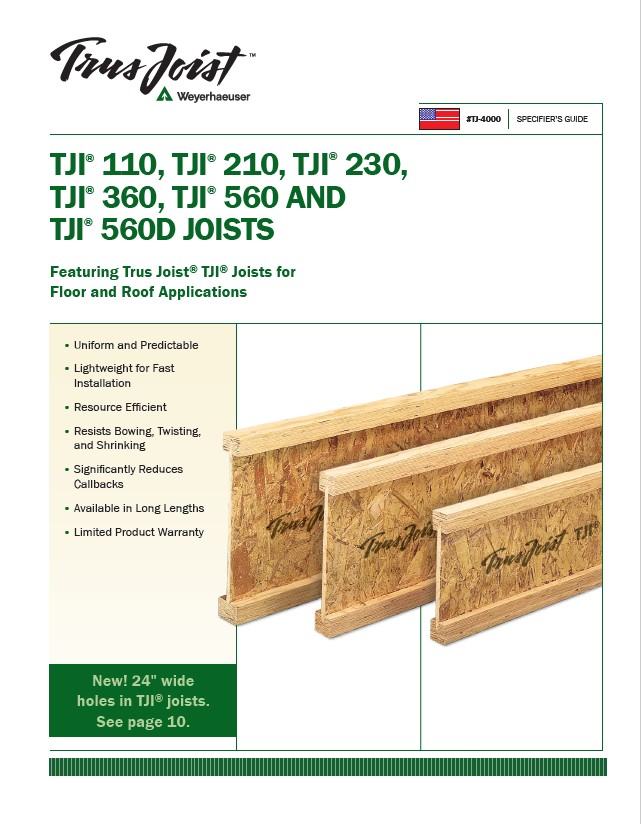
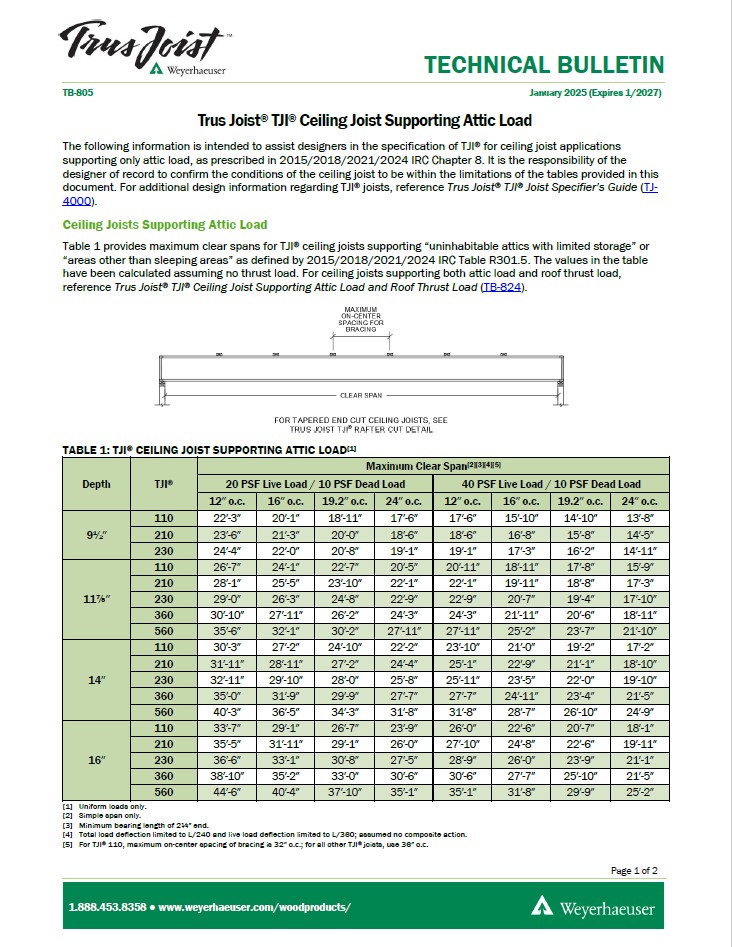
The published Weyerhaeuser Trus Joist documents behind those TJI values — the specifier guide and the ceiling-joist technical bulletins — carry the allowable spans, hole charts, and design properties the framing tools draw from:
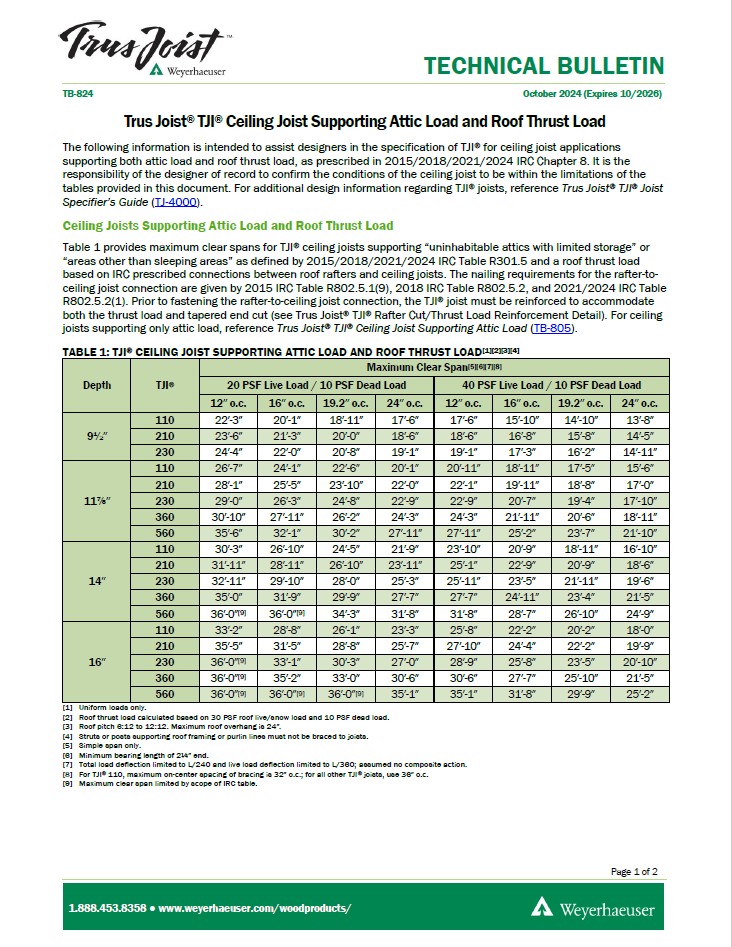
So when you pick LVL, you'll see two groups — Microllam (Weyerhaeuser) and Versa-Lam (Boise Cascade), each listing its grades as rows — and choosing between them changes the Fb / Fv / E values, exactly the way picking a species changes Table 4A. LSL and PSL show one group each, and that isn't an omission: Parallam (PSL) and TimberStrand (LSL) are essentially proprietary to Weyerhaeuser — there's no mainstream competing PSL, and Boise Cascade's only SCL is its Versa-Lam LVL. In other words, the app uses Microllam for one product and Versa-Lam for another simply because each is the brand that actually makes that product — and where two brands genuinely compete (LVL), the app offers both.
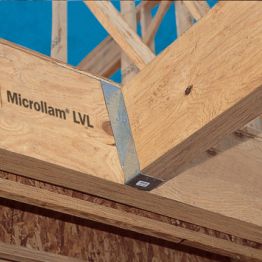
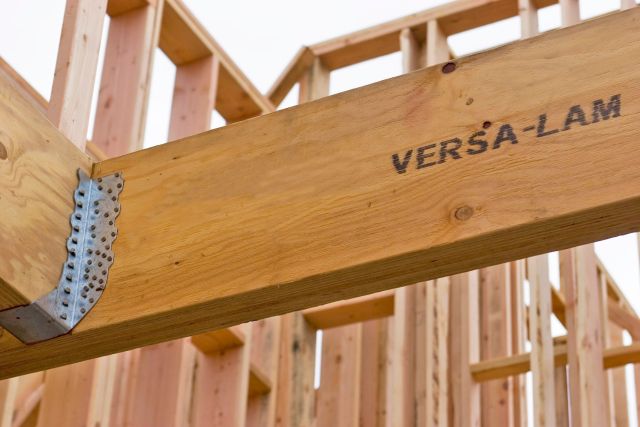
The two LVL brands carry the same product name but different design values — that's the whole reason the LVL category shows two groups. The name in parentheses is the manufacturer, and each one's numbers come straight from its ICC-ES report.
The table groups each report’s columns the way ESR-1387 Table 1 does: joist / beam orientation (load parallel to the wide face of the veneers or strands — a beam on edge) and face / plank orientation (load perpendicular to it) side by side, each with its own Fb and Fv, then the axial Ft and Fc. A beam reads the joist values; the Wood & Steel Column module reads the plank pair when a lateral load bends a post across its thickness, together with that orientation’s volume factor from the same report.
Reading tip. When you see "Microllam (Weyerhaeuser)" or "Versa-Lam (Boise Cascade)" in the Wood Beam or Wood Column tool, the name in parentheses is the manufacturer, and the design values trace directly to that company's current ICC-ES report — not to the NDS Supplement.
#How StructSuite uses these tables
When you design in StructSuite, the Wood Beam and Wood Column tools pull directly from these tables so you don't have to flip pages — you pick a row and the software carries it through the adjustment factors and the final checks.
Solid sawn lumber. You select section size from Table 1B, and species/grade from Table 4A (most species), Table 4B (Southern Pine), or Table 4D (timbers).
Glulam. Geometry comes from Table 1C (Western) or Table 1D (Southern Pine). For strength, a beam uses Table 5A (bending) — and can also use 5B when it carries axial load — while a column uses Table 5B (axial), matching how each member is loaded.
Engineered products (LVL, LSL, PSL, I-joists). As covered in Beyond the Supplement above, these aren't in the NDS Supplement — you select a named product (e.g. Microllam or Versa-Lam), and its design values come from that manufacturer's ICC-ES Evaluation Report (ESR) so you can design them alongside sawn lumber and glulam.
Some specialized members fall outside these two tools because they aren't single beams or columns: heavy structural decking (Table 4E) is a plank/diaphragm system, imported and multi-species group lumber (4F, 4G) is rarely specified where the common species already cover the work, hardwood glulam (5C, 5D) is almost never used in buildings, and graded piles and poles (6A, 6B) are specialized foundation and pole elements. Machine-graded MSR/MEL lumber (4C) is mostly a truss-industry product, so the tools focus on the visually graded lumber you hand-pick for an individual member.
#Frequently Asked Questions
#Is a "2×4" really 2 in by 4 in?
No. "2×4" is the nominal size — the rough dimension before the mill planes the board. Almost all framing lumber is S4S (surfaced four sides), so a nominal 2×4 is actually 1½ in × 3½ in. Always design with the dressed (actual) size: Table 1A gives the dressed dimensions, and Table 1B gives the section properties (A, S, I) already computed from them.
#What is the difference between E and Emin in the NDS Supplement?
E is the modulus of elasticity used for deflection and everyday stiffness checks ("will this floor bounce?"). Emin is a reduced value used only for stability — column buckling and beam lateral-torsional buckling — and it feeds the stability factors CP (columns) and CL (beams). Use E for sag, Emin for buckling.
#What is the difference between Fc and Fc⊥?
Fc is compression parallel to grain — the axial strength of a column or post. Fc⊥ is compression perpendicular to grain — the bearing strength across the grain at supports and bearing points. One more habit: Fc⊥ is not increased for load duration, so leave the CD factor out of bearing checks.
#Which NDS Supplement table do I use for section properties versus strength?
They are separate. Series 1 (Tables 1A–1D) gives geometry — sizes and section properties (A, S, I). Strength comes from a different series depending on the material: Series 4 for sawn lumber, Series 5 for glued laminated timber (glulam), and Series 6 for round timber. First find the size, then the design values, then apply the NDS adjustment factors.
#Are LVL, LSL, and PSL design values in the NDS Supplement?
No. The Supplement covers generic, graded materials — sawn lumber, glulam, and round timber. Structural composite lumber (LVL, LSL, PSL) is proprietary: each manufacturer's design values are published in its own ICC-ES Evaluation Report (ESR), not the Supplement. When you design SCL, the ESR is your "Supplement."
#Why does StructSuite show two LVL products but only one LSL and one PSL?
Because LVL is the only one where two major brands genuinely compete — Microllam (Weyerhaeuser) and Versa-Lam (Boise Cascade) — and choosing between them changes the Fb / Fv / E values. Parallam (PSL) and TimberStrand (LSL) are essentially proprietary to Weyerhaeuser, so each shows a single group. The app simply lists the brand that actually makes each product.
#How do you design a round wood column?
Use the equivalent-square method from NDS Section 3.7.3: design the round section as a square of the same cross-sectional area, then use ordinary square-section formulas. It is slightly conservative by design, and round members use a column stability coefficient of c = 0.85 (versus 0.80 for sawn lumber and 0.90 for glulam). The strength values come from the sawn-lumber tables for the chosen species and grade.
#Why does a different load combination govern bearing than bending and shear?
Because the load duration factor CD applies to bending, shear, tension, and compression parallel to grain — but never to bearing (Fc⊥), E, or Emin (NDS Table 2.3.2 and Table 4.3.1). Wood carries brief loads better than sustained ones, so under NDS 2.3.2 every ASD load combination is checked with its own CD — the value for the shortest-duration load in the combination: 0.9 permanent (dead), 1.00 ten-year (occupancy live), 1.15 two-month (snow), 1.25 seven-day (construction), 1.6 ten-minute (wind or earthquake). Fc⊥ is the exception because its reference value is set by a deformation limit — crushing of the fibers at the support — not by rupture, and crushing is not forgiven just because a load is brief.
The consequence: for bending and shear, a snow combination brings more demand and 15% more capacity, so combinations are ranked by demand ÷ (CD × capacity). For bearing, the capacity is the same for every combination — so whichever combination produces the largest reaction governs, and that can be a different combination than the one governing flexure:
Demand-to-capacity ratio by combination (illustrative numbers)
Bending & shear: capacity is multiplied by each combination's CD. Bearing: no CD — same capacity for every combination.
Bending / shear check
Bearing check (Fc⊥)
Same beam, same loads, two governing combinations — and both results are correct. StructSuite's Wood Beam module evaluates every ASD combination with its own CD separately for the flexure, shear, deflection, and bearing checks, so each check reports its true governing combination. (Related: What is the difference between Fc and Fc⊥? above.)
#Can a 1× board be designed with NDS Table 4A? (stress-rated boards)
Boards — lumber under 2 in nominal thickness (NDS 4.1.3.1) — have no design-value rows of their own anywhere in the Supplement, which is why a 1× normally can't be "designed" at all. The path that does exist is footnote 2 to Tables 4A and 4B: stress-rated boards of nominal 1", 1¼", and 1½" thickness, 2" and wider, of most species, are permitted to use the design values shown for the Select Structural through Utility grades in the 2"-to-4"-thick categories — provided the board is actually graded under the stress-rated board provisions of the applicable grading rules (for Southern Pine, for example, SPIB's Standard Grading Rules Section 265). That condition is the whole game: an ordinary appearance-graded 1× off the rack does not qualify.
Where this matters in practice: existing buildings — older roofs and floors where 1× boards span between supports and you need a code-backed capacity check rather than a guess.
In StructSuite, 1× sizes are selectable in the Wood Beam and Wood Column modules behind a confirmation that the member is stress-rated. The reference values come from the same species and grade in the 2"–4" thick categories per footnote 2, and three factors are locked at 1.00: CF, Cfu, and Cr — their tables all start at 2" thickness, so no tabulated value exists for a 1× member. Each of the three is an increase factor for dimension lumber, so taking 1.00 is the conservative reading. CM, Ct, Ci, CD, and the stability factors still apply, and the assumption is stated in Step 4 and in the printed report.
#Which adjustment factors apply to each NDS design value?
Not every factor touches every design value — NDS Table 4.3.1 is the applicability map for sawn lumber, and its most consequential rule is that CD never applies to E, Emin, or Fc⊥ (Table 2.3.2: E is a stiffness rather than a strength, and Fc⊥ is based on a deformation limit).
| Design value | CD | CM | Ct | CL | CF | Cfu | Ci | Cr | CP | Cb |
|---|---|---|---|---|---|---|---|---|---|---|
| Fb (bending) | ✓ | ✓ | ✓ | ✓ | ✓ | ✓ | ✓ | ✓ | — | — |
| Ft (tension) | ✓ | ✓ | ✓ | — | ✓ | — | ✓ | — | — | — |
| Fv (shear) | ✓ | ✓ | ✓ | — | — | — | ✓ | — | — | — |
| Fc⊥ (bearing) | — | ✓ | ✓ | — | — | — | ✓ | — | — | ✓ |
| Fc (compression ∥) | ✓ | ✓ | ✓ | — | ✓ | — | ✓ | — | ✓ | — |
| E (deflection) | — | ✓ | ✓ | — | — | — | ✓ | — | — | — |
| Emin (stability) | — | ✓ | ✓ | — | — | — | ✓ | — | — | — |
(Emin can additionally take the buckling stiffness factor CT for certain sheathed 2×4 truss chords, NDS 4.4.2.) Read the rows and several mysteries disappear: bearing ignores load duration (see the previous question), the stability factors CL and CP each apply only to the value they stabilize, and deflection is unaffected by nearly everything except moisture, temperature, and incising. StructSuite's Step 4 presents this same factor-by-property matrix for the member being designed, with each factor's value and code source.
#When does the size factor CF apply — and when doesn't it?
It depends entirely on which table the member's values came from:
- Dimension lumber (2"–4" thick, Tables 4A/4B): CF comes from the grid printed with the table. It depends on grade, width, and thickness, and it increases Fb, Ft, and Fc for smaller members.
- Timbers (5×5 and larger, Table 4D): no grid. For bending members deeper than 12", Fb is reduced by CF = (12/d)1/9 ≤ 1.0 (NDS 4.3.6) — the opposite direction from dimension lumber.
- Glulam (Tables 5A–5D): no CF at all. The volume factor CV (NDS 5.3.6) plays the same role using span, depth, and width together — and CV is not applied cumulatively with CL; the lesser of the two governs.
- Boards (1×): nothing is tabulated below 2" thickness, so StructSuite locks CF = 1.00 (see the stress-rated board question above).
- LVL / LSL / PSL: no NDS CF — size effects are built into each manufacturer's ICC-ES report values and the report's own depth-adjustment rules.
So before applying CF, always ask: which table did this number come from?
#Is a sistered (2) 2×6 the same as a solid 4×6? (built-up members)
No — and the difference surprises many engineers. Sistering two 2×6s gives 2 × 1½" = 3.0" of width, but a dressed 4×6 is 3½" wide. That missing half inch is real strength: strong-axis section properties scale linearly with width, so the solid 4× is about 17% stronger and stiffer than the sistered pair — same depth, same species, same grade:
| Section (dressed size) | A (in²) | Sx (in³) | Ix (in⁴) |
|---|---|---|---|
| (2) 2×6 — 3" × 5½" | 16.50 | 15.13 | 41.59 |
| 4×6 — 3½" × 5½" | 19.25 | 17.65 | 48.53 |
| Solid 4× advantage | +17% | +17% | +17% |
A sistered member is still a legitimate, practical way to add capacity: two or three 2× plies fastened face-to-face deflect together, and the section properties are simply the sum of the plies. The rule is to never take a "4×" shortcut in the numbers — and the Table 4A CF grid can even assign 2× and 4× thicknesses different size factors. StructSuite keeps the two honest by naming built-up sizes (2) 2×6 / (3) 2×6 with width = 1.5" × plies, so the properties and factors are always the true sistered values, never the solid ones.
Why do plies stop at 2×? Because that is where both the practice and the data live. Building up from 1½"-thick stock is standard light-frame practice (everything in a stud wall comes in 1½" multiples), and Table 4A values apply to each ply directly. Meanwhile 3× and 4× members already exist as solid sizes, timbers (5×5 and larger) are a differently graded product in Table 4D, and when a two- or three-ply section can't carry the load, the realistic next step is a solid timber, a glulam, or an SCL member — not more plies. That's why StructSuite enables the ply selector only for 2× sizes and points you to the solid section otherwise.
#Glulam: when do I use Table 5A versus Table 5B?
Match the table to how the member is stressed, because the manufacturer builds the layup differently for each: 5A layups place the strongest laminations at the top and bottom faces, where bending stress peaks, while 5B layups grade the laminations more uniformly for axial stress that is constant across the section (see Series 5 — Glulam strength above). So: stressed primarily in bending → Table 5A; primarily in axial tension or compression → Table 5B. In StructSuite, the Wood Beam module offers both tables with 5A as the default, and the Wood Column module uses 5B. One physical member is one layup: pick one row of one table and read every property (Fb, Fc, Ft, Fv, E, Emin) from that row — never take the bending value from a 5A row and the axial value from a 5B row for the same member.
#LVL vs LSL vs PSL — what actually differs, and when do you pick each?
All three are structural composite lumber (SCL): dried wood elements glued under heat and pressure into large, straight, dimensionally consistent billets. What differs is the size of the wood element, and that drives strength, cost, and best use:
| Product | Made from | Typical role |
|---|---|---|
| LVL — laminated veneer lumber | Thin rotary-peeled veneers, grain parallel | The general-purpose beam and header workhorse; the most widely stocked SCL |
| LSL — laminated strand lumber | Short flaked strands | The economy option: rim board, wall plates, tall studs, and short-span headers |
| PSL — parallel strand lumber | Long strand bundles, all parallel | The heavy hitter: long-span girders, high-load headers, and columns |
As a family they are stronger and far more consistent than sawn lumber of the same size — no knots, no splits, engineered moisture content. Within the family, LSL generally carries the lowest design stresses at the lowest cost, PSL the highest of both, and LVL sits in between. None of them appears in the NDS Supplement: each product's design values come from its manufacturer's ICC-ES evaluation report, as covered in Beyond the Supplement above.
#Where to learn more
Start with the source, then add the references you'll use most as a practicing engineer:
- American Wood Council (AWC) — the organization that publishes the NDS and the Supplement. You can read the NDS 2024 and the Supplement: Design Values for Wood Construction for free, along with helpful technical articles.
- APA – The Engineered Wood Association — the authority on glulam, I-joists, and plywood/OSB, with clear technical notes on stress classes and layups.
- ICC-ES report directory — where the design values for LVL, LSL, PSL, and I-joists live (the manufacturer ESRs).
#Image credits
The engineered-wood and glulam photographs in this guide are product images from the manufacturers and the industry association that make and represent these materials. They are reproduced here for educational illustration; each remains the property of its owner.
- Weyerhaeuser (Trus Joist® brand) — Microllam® LVL, TimberStrand® LSL, Parallam® PSL, and TJI® I-joist photos — weyerhaeuser.com
- Boise Cascade — Versa-Lam® LVL, BCI® I-joist, and curved-glulam photos — bc.com
- APA – The Engineered Wood Association — glulam photo — apawood.org
For the design values behind each of these products, go to the source reports rather than the photos: the Weyerhaeuser SCL report ESR-1387, the Boise Cascade Versa-Lam report ESR-1040, and the I-joist reports listed in Beyond the Supplement above.
The fastest way to make these tables stick is to use them. Open StructSuite's Wood Beam or Wood Column tool, pick a species, grade, and size, and watch each reference value flow through its adjustment factors into the final check. After a few members, the Supplement stops being a wall of numbers and starts feeling like a reference you reach for without thinking.