
A working engineer keeps a toolbox of trusted websites — the authority to download a standard, the manufacturer app to size an engineered joist, the analysis package that returns member forces, the tool that pins down wind and seismic loads. This page gathers those links in one place, organized by what each one is for, with side-by-side comparison tables in the key sections so you can pick the right tool quickly.
Most-used documents — quick access
This is a living directory — we keep adding to it over time, with more links and, where they help, screenshots. If a tool you rely on isn't here yet, it likely will be soon.
A quick mental map first, because these tools do different jobs and newcomers often mix them up:
- Code & load authorities give you the rules and the demands — the standards (NDS, ASCE 7, AISC 360, ACI 318) and the loads acting on your structure.
- Analysis software gives you the forces — it models the structure and returns moments, shears, and reactions.
- Design software takes those forces and checks or sizes a member against a code.
- Manufacturer (EWP) tools size a specific proprietary product — an LVL, an I-joist — using design values you won't find in the NDS.
Plenty of packages blur these lines, and that's fine. Use the grouping as a starting point, not a rulebook.
Choosing software for a wood-framed residential project? Jump straight to the decision checklist at the end of this page — six practical questions that narrow the field fast.
#Codes, standards & design loads
Start here: the bodies that write the standards, the platforms that let you read the adopted codes, and the tools that quantify the loads you design against.
#Standard-developing organizations (SDOs)
The bodies that author the design standards you cite. Their sites host the current editions, errata, and free technical resources.





#Straight to the standards
The design standards those bodies publish — the documents the code adopts by reference and a member check ultimately cites.
#Reading the adopted code itself
The building code that governs a project (IBC, IRC, and their referenced standards) is read online through one of these two platforms.


| Platform | Coverage | Free to read? | Strength |
|---|---|---|---|
| ICC Digital Codes | I-Codes + many state/standard adoptions | Yes (premium adds tools/markup) | Official ICC text; precise section links |
| UpCodes | IBC/IRC + state amendments + referenced standards | Yes (paid adds search AI/collaboration) | Fast search & cross-referencing across adopted codes |
#Design loads
Once you know the code, you need the numbers it asks for.
#Prescriptive span chapters
The specific code chapters that carry conventional light-frame span tables (the source behind prescriptive joist/rafter sizing).



#Free web calculators
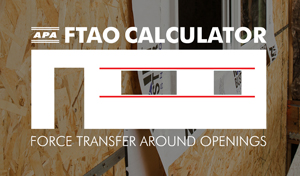
Free browser tools from AWC and APA that apply the NDS and AWC SDPWS directly — handy for a quick check or to confirm a prescriptive choice.

#Design aids
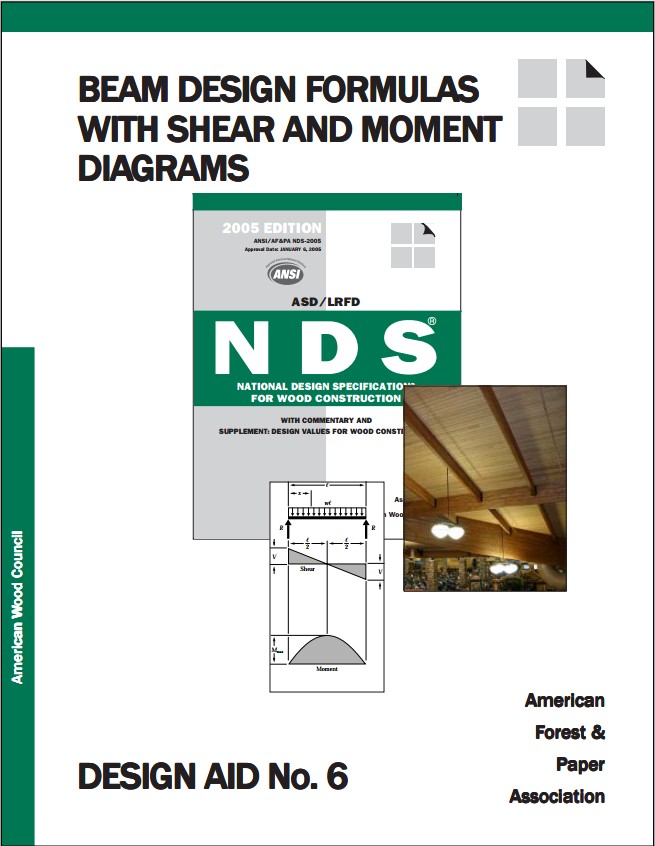
Free published aids that do the arithmetic for you — closed-form statics to check an analysis against, and the section properties of every standard lumber size.

#Engineered wood products (EWP)
When you specify a proprietary product — an LVL header, a manufactured I-joist — its design values come from the manufacturer's evaluation report, not the NDS. This section has both the apps that size those products and the published documents behind their numbers.
#Sizing tools
Free cloud apps that pick a product and check it against your loads.


| Tool | Products | Platform | Cost |
|---|---|---|---|
| ForteWEB | Weyerhaeuser Trus Joist (TJI, Microllam, Parallam, TimberStrand) + sawn/glulam | Browser | Free |
| BC Calc | Boise Cascade (BCI, VersaLam, …) | Browser/desktop | Free |
Each manufacturer app is tuned to its own products and ESR values — handy when the product is already chosen, but tied to that brand. A code-based design tool (below) — StructSuite, for instance — instead works from the NDS and the manufacturer ESR values directly, so several brands of LVL/LSL/PSL (Microllam, Versa-Lam, TimberStrand, Parallam) sit side by side in one check.
#Evaluation reports
Where each manufacturer's code-recognized design values for engineered wood actually live.

No need to search the directory for the common residential lines — these are the current reports, each linked straight to the PDF:
| Product | Brand | Manufacturer | Report |
|---|---|---|---|
| I-joist | TJI | Weyerhaeuser | ESR-1153 |
| I-joist | BCI | Boise Cascade | ESR-1336 |
| I-joist | LP SolidStart · PWT | Louisiana-Pacific / Pacific Woodtech | ESR-1305 |
| LVL | Microllam | Weyerhaeuser | ESR-1387 |
| LVL | Versa-Lam | Boise Cascade | ESR-1040 |
| LVL | RigidLam (reference only — not selectable in StructSuite) | Roseburg | ESR-1210 |
| LVL | PWT LVL (reference only — not selectable in StructSuite) | Pacific Woodtech | ESR-2909 |
| LSL | TimberStrand | Weyerhaeuser | ESR-1387 |
| PSL | Parallam | Weyerhaeuser | ESR-1387 |
Before you cite one, confirm the report is still live on ICC-ES — brands get sold and reports get quietly withdrawn. The TJI, BCI, LP/PWT, Microllam, Versa-Lam, TimberStrand and Parallam values inside StructSuite come straight from these reports.
#Trus Joist product literature
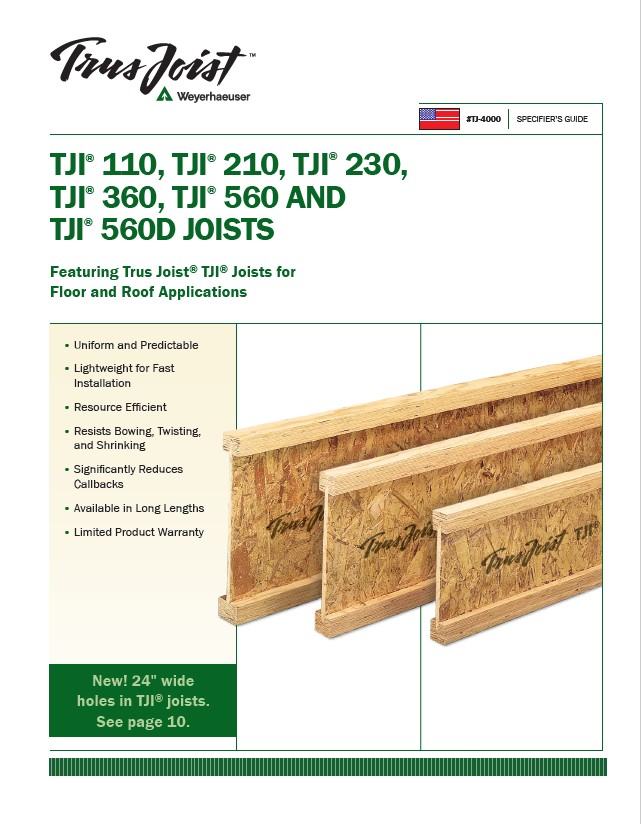
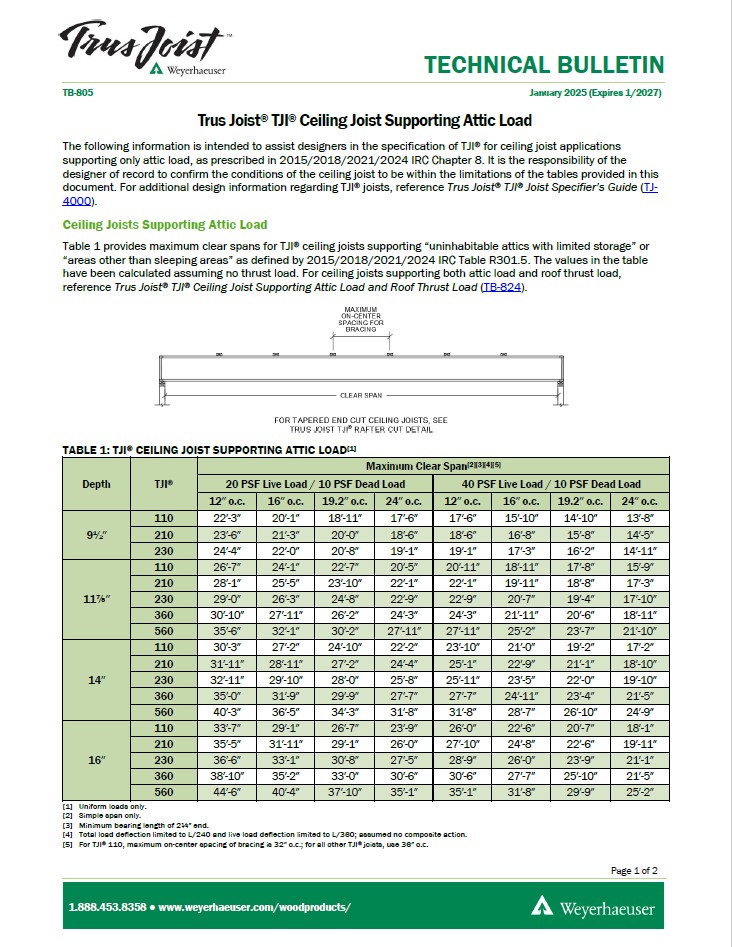
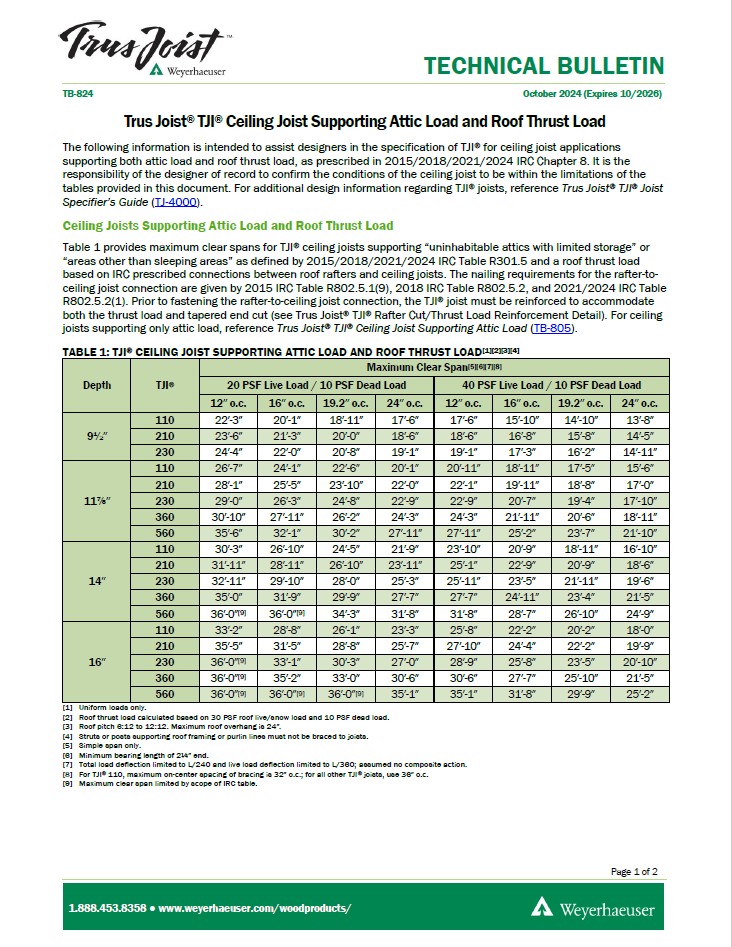
The specifier's guide and technical bulletins that carry the design values, span tables, and details you cite when you specify a TJI joist.
#Structural analysis & design software
The packages firms run day to day. Some are pure analysis (you take the forces elsewhere to design), some are component-design libraries, several do both, and a few are wood-specialized. The table after the cards lays them side by side.







How they line up. The cards above say what each tool is for; these three tables compare them on what actually decides the job — what it designs, the loads it builds for you, and how you run it and what it costs. (Tools are listed alphabetically. Split in three so nothing gets squeezed on a narrow screen. ForteWEB is carried in from the engineered-wood section above, since you'd weigh it alongside these.)
How to read the check marks. A ✓ means the vendor's own published material states the capability. A dash means they don't claim it — which is not proof the feature is missing, only that we won't assert it on their behalf. Several vendors publish no code editions or prices at all, and those cells say so.
What each tool designs.
| Tool | Wood members | Wood shear walls | Steel | Concrete & foundations |
|---|---|---|---|---|
| ASDIP | ✓ | ✓ | ✓ | ✓ |
| Calcs.com | ✓ | — | ✓ | ✓ |
| CSI (ETABS/SAP2000/SAFE) | — | — | ✓ | ✓ |
| ENERCALC | ✓ | ✓ | ✓ | ✓ |
| ForteWEB | ✓ | — | — | — |
| RISA | ✓ | — | ✓ | ✓ |
| SkyCiv | ✓ | — | ✓ | ✓ |
| SPEC Toolbox | ✓ | — | — | — |
| StruCalc | ✓ | ✓ | ✓ | ✓ |
| StructSuite | ✓ | ✓ | ✓ | ✓ |
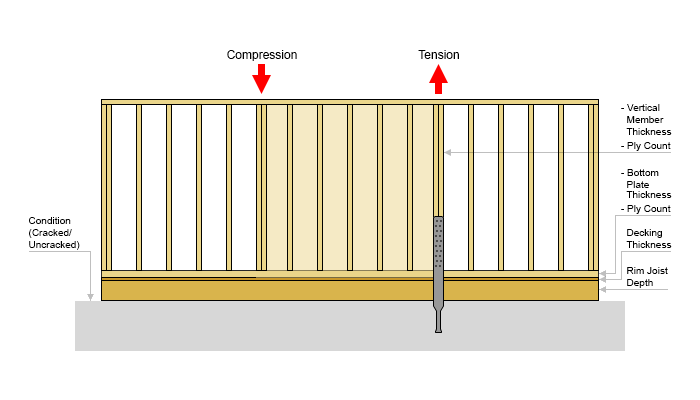
| US WoodWorks | ✓ | ✓ | — | — |
The loads it builds for you (per ASCE 7). A check mark means the tool generates that load type for you, rather than expecting you to arrive with it.
| Tool | Dead | Live | Wind | Snow | Seismic |
|---|---|---|---|---|---|
| ASDIP | — | — | ✓ | ✓ | ✓ |
| Calcs.com | — | — | — | — | — |
| CSI (ETABS/SAP2000/SAFE) | — | — | — | — | — |
| ENERCALC | — | — | ✓ | ✓ | ✓ |
| ForteWEB | — | — | — | — | — |
| RISA | — | — | — | — | — |
| SkyCiv | — | — | ✓ | ✓ | ✓ |
| SPEC Toolbox | — | — | — | — | — |
| StruCalc | — | — | ✓ | ✓ | ✓ |
| StructSuite | ✓ | ✓ | ✓ | — | ✓ |
| US WoodWorks | — | — | ✓ | — | ✓ |
StructSuite is the only tool here that assembles dead and live loads from the ASCE 7-22 tables, and the only one of the load-generating tools that does not do snow — where snow governs the roof, that stays a separate calculation.
How you run it, and what it costs.
| Tool | Platform | Code editions stated | What it costs |
|---|---|---|---|
| ASDIP | Cloud subscription (2 seats) | "Latest US & Canada" — editions not published | $395/yr per module · $1,595/yr suite · 15-day trial |
| Calcs.com | Browser | IBC, AISC, ACI, NDS, Eurocode — years not published | 14-day trial, no card · plan prices not published |
| CSI (ETABS/SAP2000/SAFE) | Desktop, cloud sign-in licensing | Not published | Not published — quote |
| ENERCALC | Desktop + cloud edition | IBC 2024 · ASCE 7-22 · ACI 318-25 | $1,699/yr (2 users) or $199/mo · 30-day full trial |
| ForteWEB | Browser | IBC 2024 · ASCE 7-22 · NDS 2024 | Free |
| RISA | Desktop (RISACalc is browser-based) | Not published | Not published — quote · 10-day trial |
| SkyCiv | Browser | AISC, ACI, AS, Eurocode, CSA — years not published | Free tools · paid plans, prices not published |
| SPEC Toolbox | Browser | NDS, Eurocode 5, AS1720.1, CSA O86 — years not published | Free tier, no time limit · Pro US$1,000/yr |
| StruCalc | Desktop | ASCE 7-22 · NDS 2024 · IBC 2024 · ACI 318-19 · AISC 360-16 | $99.97/mo · 30-day trial |
| StructSuite | Browser | ASCE 7-22 · NDS 2024 · SDPWS 2021 · IBC 2024 · ACI 318-25 · AISC 360-22 | Free to use in full · Pro $100/mo or $1,000/yr · $50 one-week pass |
| US WoodWorks | Desktop | NDS 2024 · IBC 2024 · ASCE 7-22 · SDPWS 2021 | $210/yr |
Every row above was re-checked against the vendor's own website on 20 September 2026. Prices and code editions change, and some vendors publish neither — confirm both before you buy. If something here is wrong about your software, tell us and we'll correct it.
#Connectors, trusses & framing hardware
Wood structures live and die by their connections and framing systems. These tools cover the hardware and the prefabricated components.




#Simpson Strong-Tie product literature
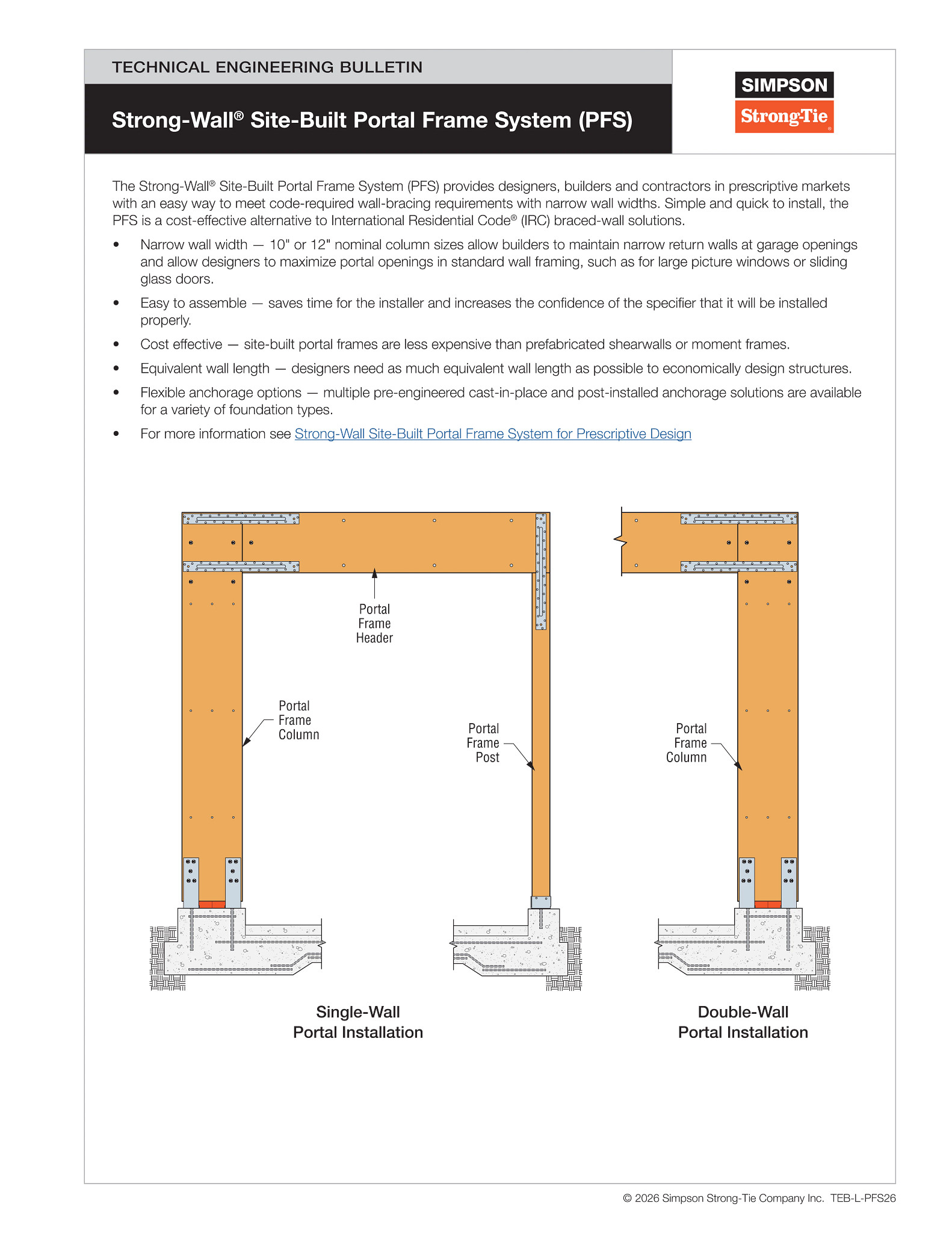
The catalogs and bulletins that carry the allowable loads, installation requirements, and code listings you cite when you specify a connector or lateral system.

#Books & references
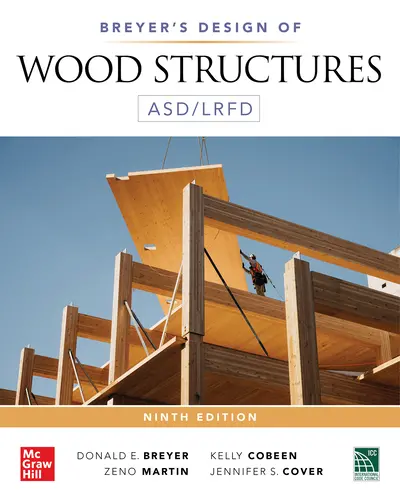
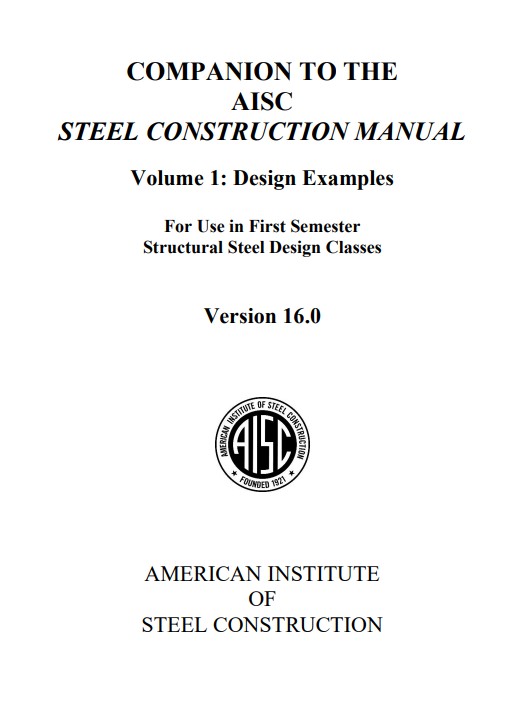
The textbooks that sit on the desk next to the code — the ones that explain why a provision reads the way it does and walk a design from loads to connection. A short, curated shelf we'll keep adding to.
#Learning & social channels
Featured — creators covering StructSuite
▶ Featured video: A complete structural calculation package built start to finish, in 32 minutes — every featured channel sits here at the top of the section, with a direct link to its StructSuite video.
 On YouTube. Channels worth following — practical structural and civil engineering explained on video. A good way to build intuition, see worked examples, and pick up code know-how between projects.
 Construction IdeasYouTube
@constructionideas ↗
Construction IdeasYouTube
@constructionideas ↗
 Civil Engineering AcademyYouTube
@CivilEngAcademy ↗
Civil Engineering AcademyYouTube
@CivilEngAcademy ↗
 Gregory MichaelsonYouTube
@gregorymichaelson ↗
Gregory MichaelsonYouTube
@gregorymichaelson ↗
 The Engineering HubYouTube
@TheEngineeringHub ↗
The Engineering HubYouTube
@TheEngineeringHub ↗
 Mat PicardalYouTube
youtube.com ↗
Mat PicardalYouTube
youtube.com ↗
 Quick Question EngineeringYouTube
@QuickQuestionEngineering ↗
Quick Question EngineeringYouTube
@QuickQuestionEngineering ↗

 On Instagram. Accounts worth following for quick visual inspiration — real-world structures, framing and detailing from the field, a useful reality check against the drawings.

For creators. Cover StructSuite on your channel — a review, a walkthrough, a design-along — and get featured here, at the top of this section with a link to your video. Details in our creators & affiliate program.
#Choosing a tool for light-frame & residential wood
Most of the work on a wood-framed building isn't whole-structure finite-element analysis — it's a stack of member, shear-wall, connection and footing checks, plus the wind and seismic loads that drive them. A few practical questions narrow the field:
- Do you need the loads too, or just the member check? Most tools expect you to arrive with the loads already worked out — RISA, CSI and the component libraries assume that. ASDIP, ENERCALC, SkyCiv and StruCalc generate wind, snow and seismic for you. StructSuite is the only one here that also assembles dead and live loads from the ASCE 7-22 tables (material and assembly weights, occupancy live loads) — and the only load-generating tool that doesn't do snow, so in snow country that stays a separate calculation.
- Which code edition does it work to? This is the question that bites at plan check, because your jurisdiction has adopted a specific edition. ForteWEB, US WoodWorks and StructSuite all state NDS 2024, IBC 2024 and ASCE 7-22; ENERCALC states IBC 2024, ASCE 7-22 and ACI 318-25; StruCalc states ASCE 7-22 and NDS 2024 but ACI 318-19 and AISC 360-16. Several vendors don't publish editions at all — ask before you buy, and ask again at renewal.
- Desktop or browser? Desktop suites (US WoodWorks, StruCalc, RISA, CSI) are mature and run offline. Browser tools (ForteWEB, SkyCiv, SPEC Toolbox, Calcs.com, StructSuite) install nothing and open from any machine. ENERCALC and ASDIP run both ways.
- What does it cost to get started? Two are genuinely free to use: ForteWEB, for Weyerhaeuser products, and SPEC Toolbox's free tier, which has no time limit. StructSuite is free to use in full — every module, every calculation on screen — with Pro needed to export, save to the cloud or share a verification link. The rest are trials: ENERCALC and StruCalc 30 days, ASDIP 15, Calcs.com 14, RISA 10. On price, US WoodWorks at $210/yr is much the cheapest way into dedicated wood design; ENERCALC at $1,699/yr is the broadest library.
- How does the reviewer see your work? Some workflows still mean printing a thick calc package. Calcs.com keeps inputs, formulas and code references together with a documented audit trail; StructSuite produces a view-only link to the step-by-step calculations, so a plan-check engineer can follow each substitution and code reference online instead of in a PDF.
- Do you want the code text where you're working, or on your desk? Most tools cite the section they applied — you still open the standard to see what it says. Calcs.com keeps code references alongside the inputs and formulas; CalcBook organizes routine checks into a documented calc set. StructSuite goes to the provision itself: a book icon beside a field opens the governing section quoted verbatim (80 sections across IBC 2024, ASCE 7-22, NDS 2024, SDPWS 2021, ACI 318-25 and AISC 360-22), so picking a row out of a table or entering a value doesn't mean reaching for the book — and where the code sets a limit on an input, the field flags it as you type instead of after you run the check. Worth weighing if an EIT is doing the work, or if you want the reviewer to see the basis rather than take it on trust.
- Who assembles the package? A submittal needs a cover sheet and a table of contents tying it together, which is often manual desktop-publishing work. StructSuite generates both from the modules you've completed, so the package comes out paginated and consistent; with the desktop suites you'll typically collate the printed output yourself.
The directory above lists the options for each of these so you can match the tool to the job.
#Frequently Asked Questions
Quick answers to the questions that bring engineers to this page — each one links to the resource that carries the full detail.
#Where can I read the IBC and IRC for free?
On two platforms: ICC Digital Codes — the ICC's own library of the I-Codes, free to read in the browser with section-level links — and UpCodes, a fast searchable view of adopted codes and state amendments, also free to read. Paid tiers on both add search and collaboration tools, but reading the code text costs nothing.
#What is the difference between the NDS and the NDS Supplement?
The NDS is the standard itself — the equations, adjustment factors, and connection provisions for wood design in ASD and LRFD. The NDS Supplement is its companion volume of design-value tables — the reference values (Fb, Fv, E, Fc and the rest) for sawn lumber and glulam by species, grade and size. A wood member check reads from both: the Supplement supplies the base values, and the NDS tells you how to adjust and apply them.
#Where do I find span tables for TJI joists?
In Weyerhaeuser's own literature: the TJ-4000 Specifier's Guide carries the floor and roof span tables, design values and web-hole charts for TJI 110–560D joists; TB-805 covers TJI ceiling joists supporting attic load, and TB-824 adds roof thrust load. All three are free downloads from the Weyerhaeuser document library.
#Is ASCE 7-22 free to read?
The standard itself is a paid publication from ASCE. What is free is the official ASCE 7 Hazard Tool, which returns the ASCE 7 site parameters for any U.S. location — basic wind speed, seismic Ss and S1, ground snow and more — the numbers a load calculation actually starts from.
#What software can design wood shear walls?
Several tools in this directory. StructSuite designs wood shear walls per AWC SDPWS as a guided, step-by-step wizard in the browser — including the wind and seismic loads that drive them. You pick the sheathing straight from a replica of SDPWS Table 4.3A exactly as it reads in the standard, select the hold-down, and the anchor bolt row follows the hold-down's anchor diameter (with a transition coupler where SABR has no matching size), design the end posts per the NDS, and can include the collector (drag strut) force check per ASCE 7-22. US WoodWorks Shearwalls is the long-established desktop tool for distributing story forces to wall lines; and APA's free FTAO Calculator handles wood shear walls with openings by the force-transfer-around-openings method.
#Which structural design software calculates ASCE 7 loads for you?
Most don't — general analysis tools and most component libraries expect you to arrive with the loads already worked out. Of the tools in this directory, ASDIP, ENERCALC, SkyCiv and StruCalc generate wind, snow and seismic loads; US WoodWorks generates wind and seismic. StructSuite is the only one that also assembles dead and live loads from the ASCE 7-22 tables — material and assembly weights per Table C3.1-1a, occupancy live loads per Table 4.3-1 — though it does not generate snow. See the loads table above for the full comparison.
#How much does wood design software cost?
From nothing to about $1,700 a year, checked against each vendor's own site in September 2026. ForteWEB is free for Weyerhaeuser products and SPEC Toolbox has a free tier with no time limit. US WoodWorks is $210/yr. StruCalc is $99.97/mo, ASDIP $395/yr per module or $1,595/yr for the suite, and ENERCALC $1,699/yr for two users or $199/mo. StructSuite is free to use in full — every module, every calculation on screen — with Pro at $100/mo or $1,000/yr for PDF export, cloud save and verification links. RISA and CSI don't publish prices.
#Where do allowable loads for joist hangers and hold-downs come from?
From the manufacturer's literature and code reports: Simpson's Wood Construction Connectors catalog carries the allowable loads, fastener schedules and code-report references for its hangers, straps and hold-downs; MiTek's Product Selector does the same for its hardware; and the code-recognized basis for each product lives in its evaluation report on ICC-ES.
StructSuite publishes this directory, and it's listed among the tools it competes with on the same terms. We've described every entry — ours included — by what it actually does; if we've got a detail wrong, tell us and we'll fix it.