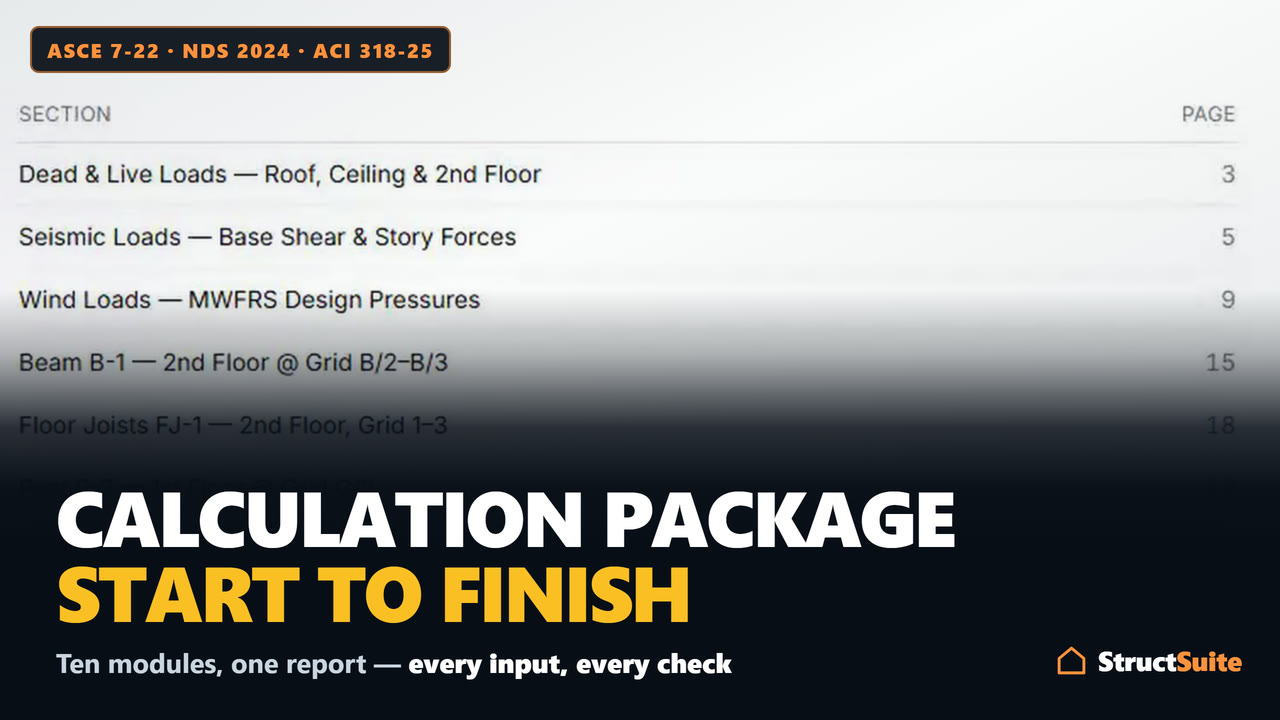
Skip to content
StructSuiteStructSuite

Start a new project

Add a module from the list below, or reopen one of your projects.

Create plan-check-ready structural calculations

Free to use, in full, with no account. A free account keeps one project in the cloud. You pay only for unlimited projects and to print the package.

  • 1Design to codeBeams, columns, joists and rafters, shear walls, footings and retaining walls — per NDS 2024, SDPWS 2021, AISC 360-22, ACI 318-25, ASCE 7-22 and the 2024 IBC.
  • 2The report builds itselfCover sheet, section titles, and page numbers update as you add or reorder modules.
  • 3Print, PDF & verifyExport for permit submittal — with a live verification link for the plan checker.
See a sample report (PDF)

The sample project opens with each module already filled in Nothing is saved until you start your own project.

10 design modules · 12 guides and worked examples, written by running them · NDS 2024 · SDPWS 2021 · AISC 360-22 · ACI 318-25 · ASCE 7-22 · 2024 IBC

Start a calculation

Pick a module. No account needed.

Add module

Guides & worked examples

Design modules

What each module covers

Three things each module does, written from the module itself. Start one here with no account, or open its page for everything it covers.

  • Cover Sheet

    Page one of the printed report

    • Project title, address and client on page one of the report.
    • Engineer's stamp and signature.
    • Company logo and branding.
    Everything it covers
  • Dead and Live Loads

    ASCE 7-22 Tables C3.1-1a and 4.3-1

    • Dead loads built assembly by assembly from ASCE 7-22 Table C3.1-1a.
    • Light, Typical and Heavy presets, plus your own lines such as rooftop PV.
    • Live loads by occupancy from Table 4.3-1, with the roof live load and handrail loads.
    Everything it covers
  • Seismic Loads

    ASCE 7-22 Chapter 12, Equivalent Lateral Force

    • Site class, SDC and the full Table 12.2-1 picked from the code's own tables.
    • Period by Table 12.8-2, by 0.1N, by the Cw method, or typed and capped at Cu·Ta.
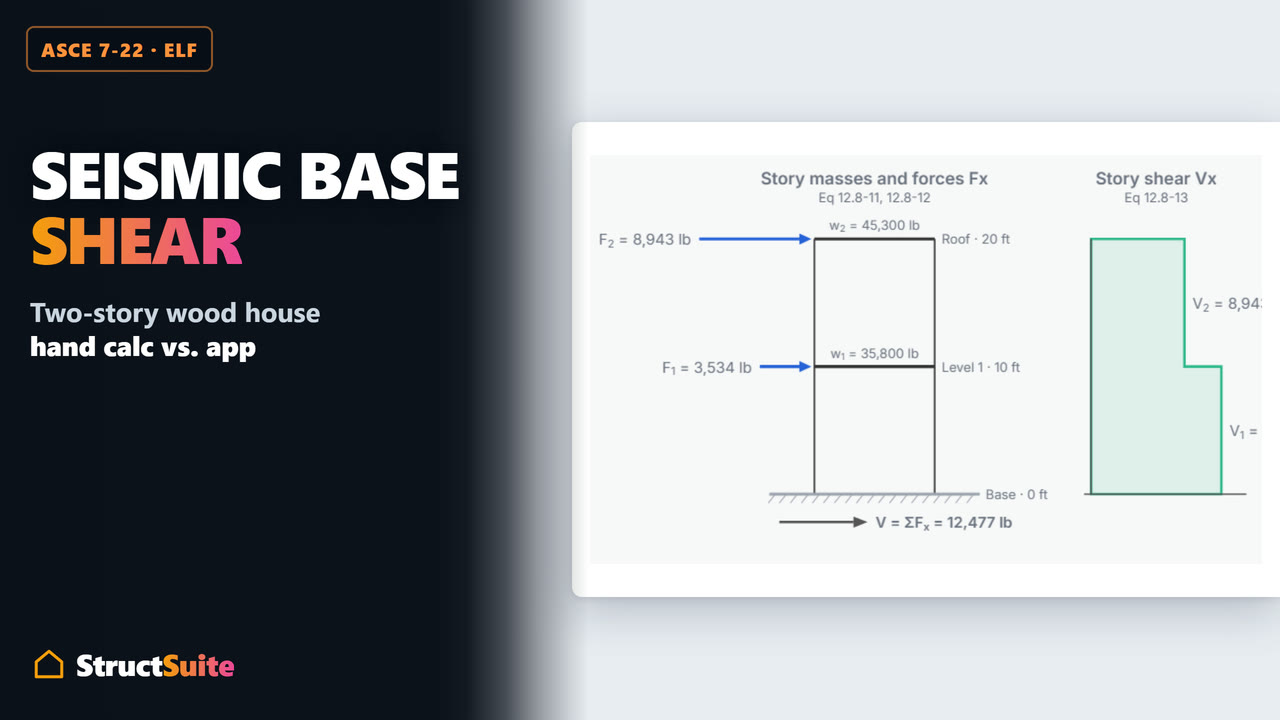
    • Base shear, story forces, overturning and diaphragm forces, with four diagrams.
    Everything it covers
  • Wind Loads

    ASCE 7-22 Chapters 27 and 28

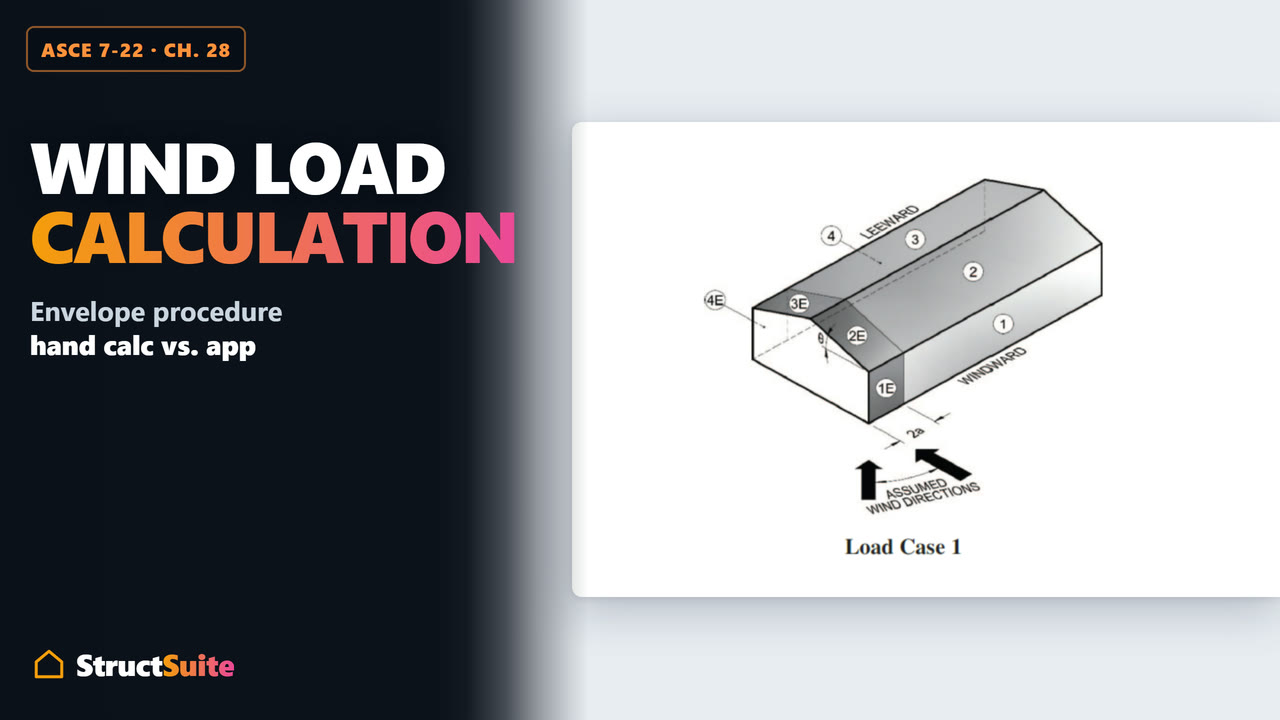
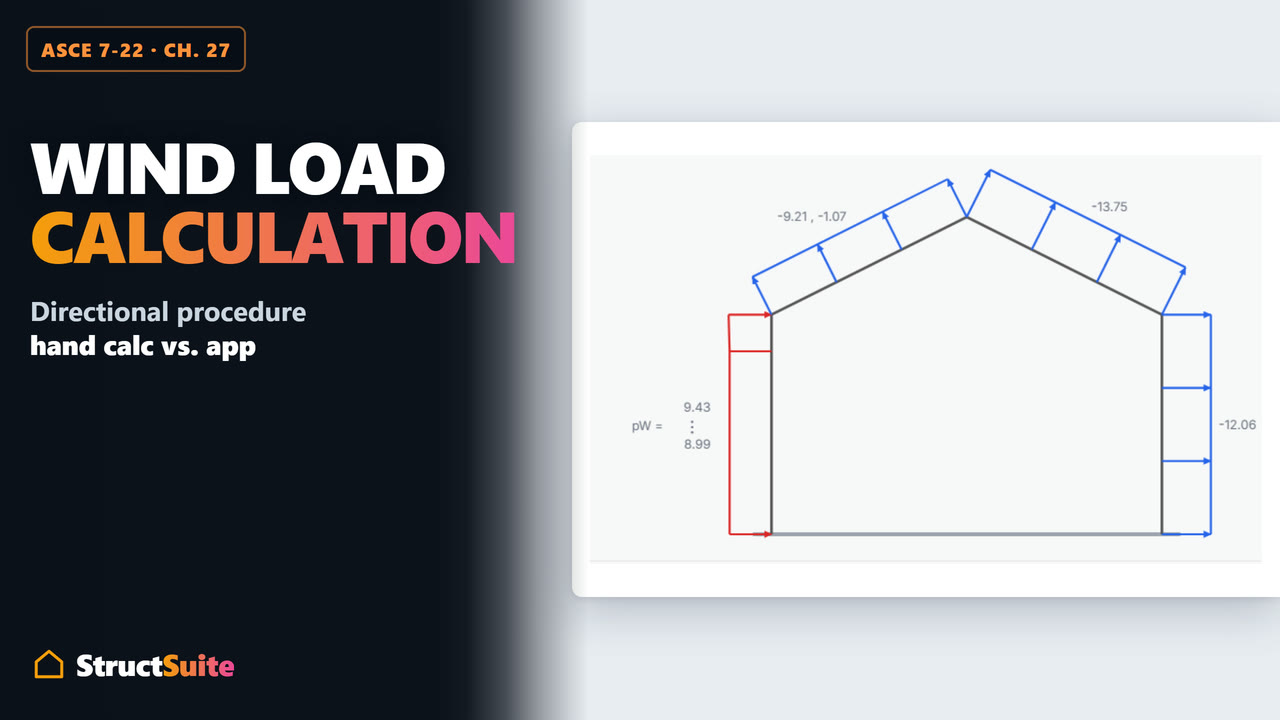
    • Directional (Chapter 27) and envelope (Chapter 28) procedures, every line substituted.
    • Pressure and resultant-force diagrams in elevation, plan and sidewall views.
    • The four Figure 27.3-8 load cases with torsion, roof uplift and the minimum loads.
    Everything it covers
  • Wood & Steel Beam

    NDS 2024 · AISC 360-22

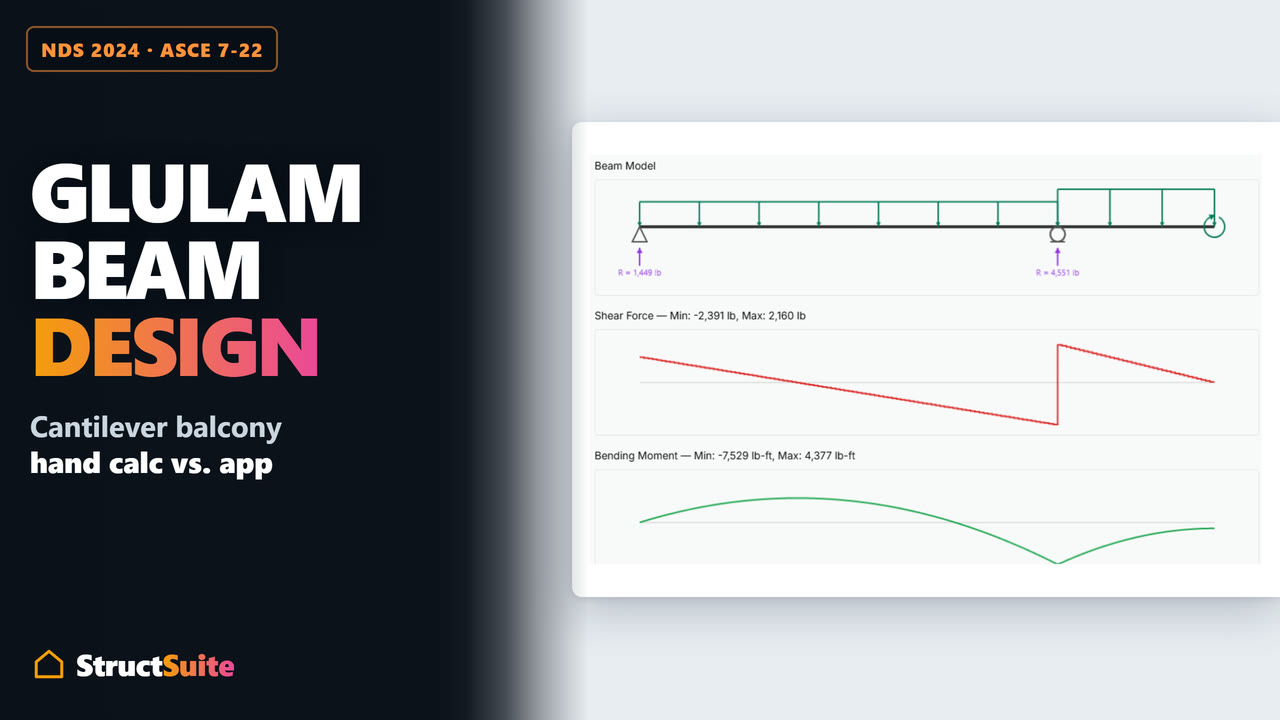
    • Multi-span beams, cantilevers and sloped members; uniform, partial, trapezoidal and point loads.
    • Sawn lumber, glulam, I-joists, LVL, LSL and PSL, or AISC W-shapes, HSS and pipe.
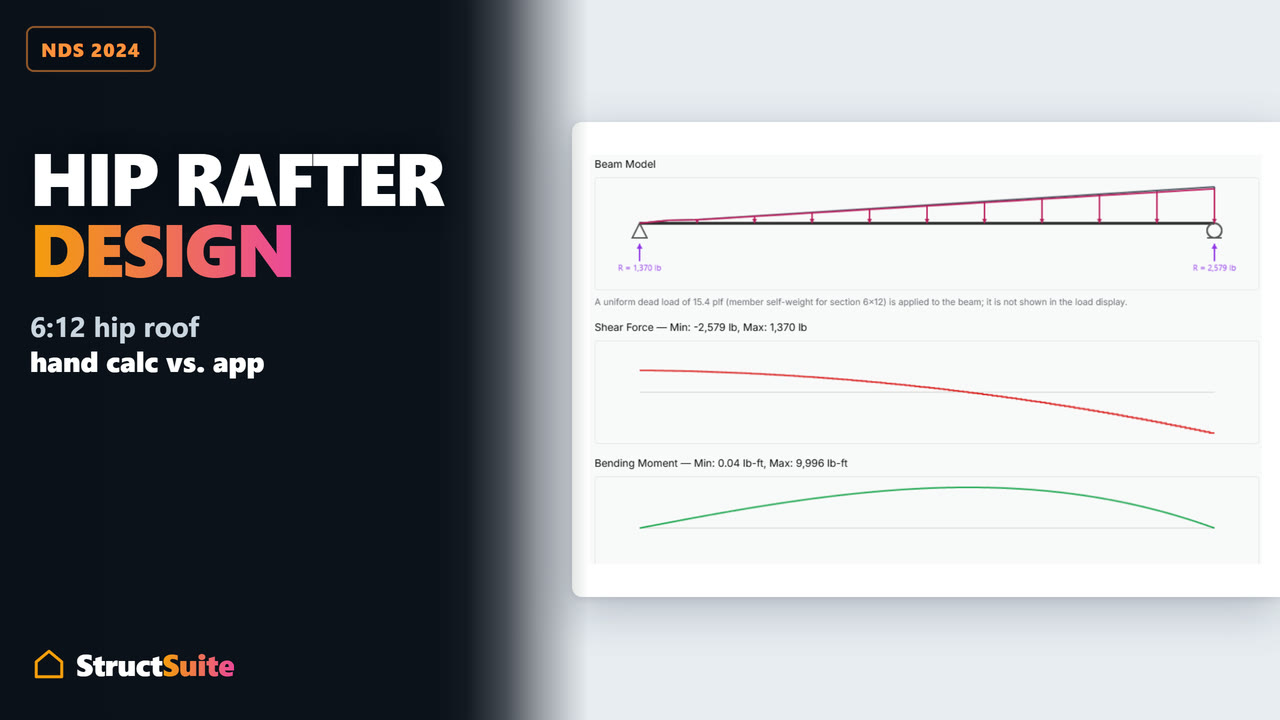
    • Shear, moment and deflection diagrams for every load combination; Simpson hanger selection.
    Everything it covers
  • Floor/Ceiling Joist & Rafter

    2024 IBC Chapter 23 · Trus Joist TJI

    • 2024 IBC span tables digitized cell by cell for four species in four grades.
    • Floor joists, ceiling joists and rafters at 12, 16, 19.2 and 24 in, pass or fail against the table span.
    • Trus Joist TJI floor, roof and ceiling spans, plus Simpson hanger selection.
    Everything it covers
  • Wood & Steel Column

    NDS 2024 · AISC 360-22

    • Effective length picked from the NDS Table G1 picture table, unbraced lengths per axis.
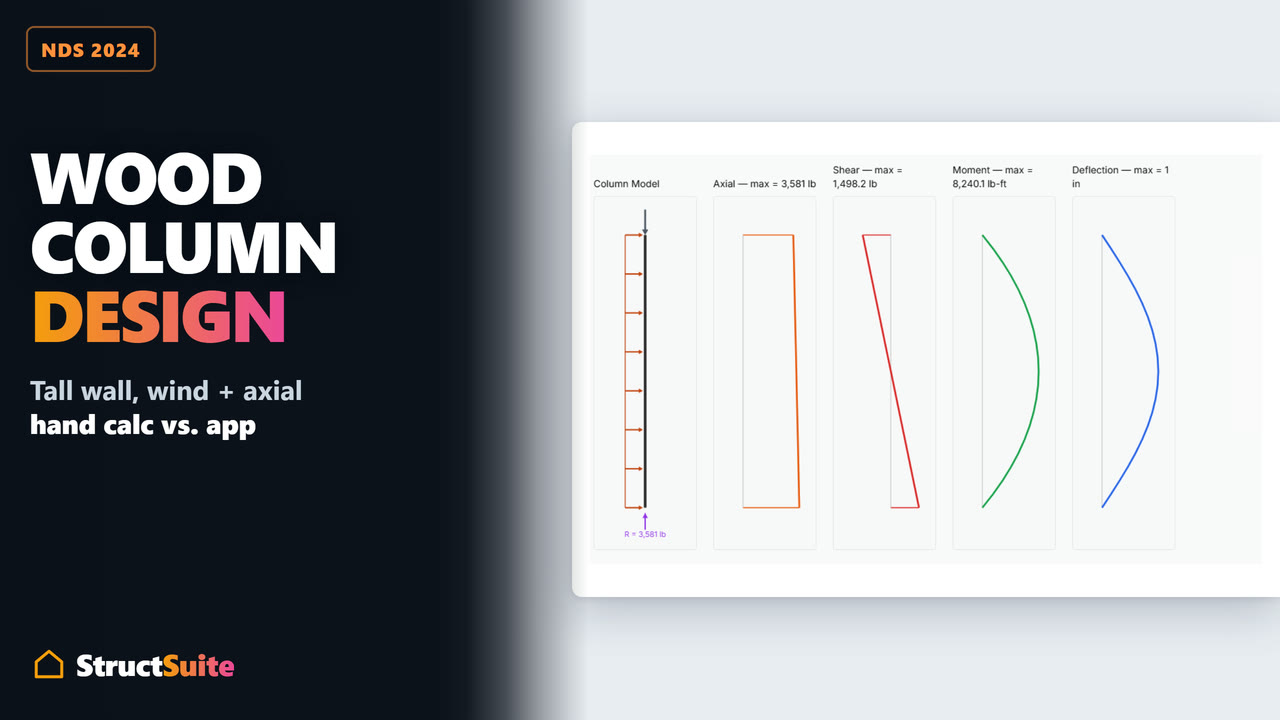
    • Axial load plus a lateral wall load, combined bending and compression per NDS §3.9.2.
    • Steel columns per AISC 360-22 Chapters E and H, slender elements included.
    Everything it covers
  • Wood-Frame Shear Wall

    SDPWS 2021 · NDS 2024

    • Draw the walls on the building plan, including L-, T- and U-shaped footprints.
    • Story shear distributed to each wall line automatically, seismic by area and wind by length.
    • Simpson hold-downs and SABR anchors from the catalog; end posts and collectors designed.
    Everything it covers
  • Isolated & Strip Footing

    ACI 318-25 · ASCE 7-22

    • Isolated and strip footings on concrete, masonry, steel or wood supports, with a pedestal.
    • Bearing per combination, kern-aware or biaxial with partial contact; overturning and sliding.
    • One-way and punching shear, flexure, dowels and development length, with plan and section views.
    Everything it covers
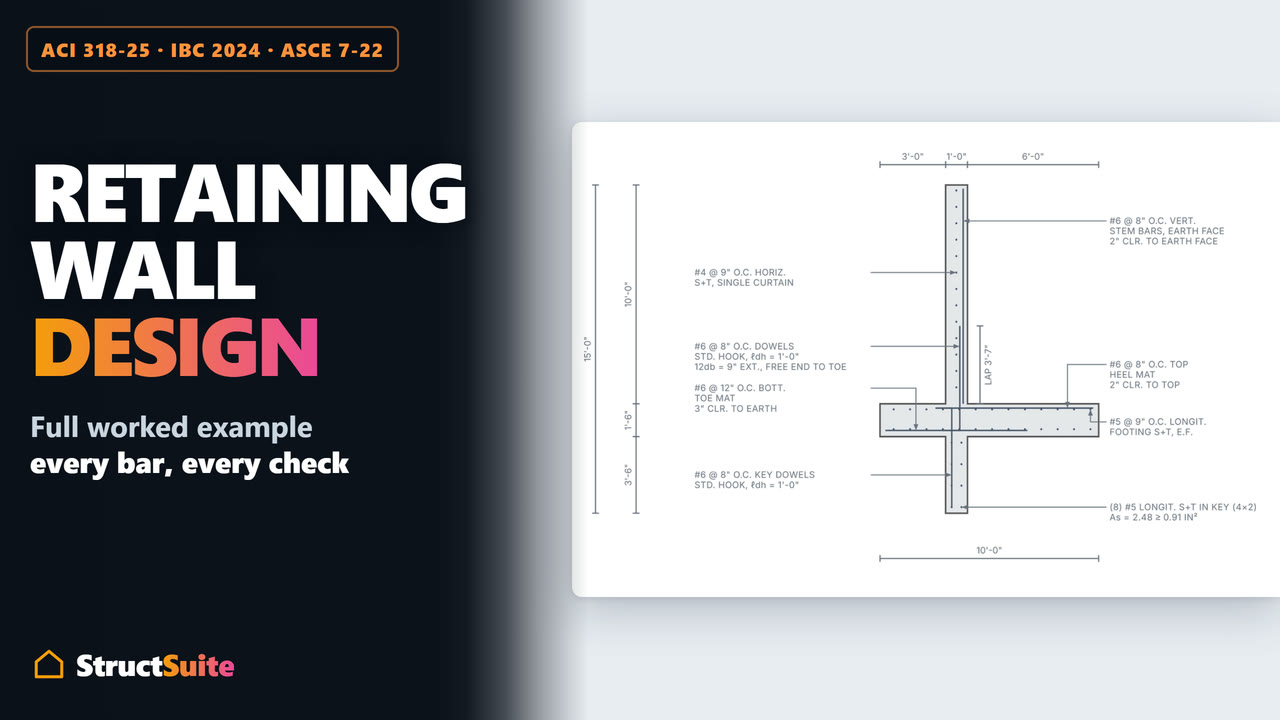
  • Cantilever Retaining Wall

    ACI 318-25 · IBC 2024 · ASCE 7-22

    • Concrete or solid-grouted CMU stem on the same concrete footing.
    • Seismic earth pressure by Mononobe-Okabe, Seed-Whitman or the geotechnical report.
    • Groundwater, surcharges, sloped backfill, wind on the stem, and a reinforcement detail drawn to scale.
    Everything it covers
What's new in StructSuite1 of 10, Wood columns: Parallam PSL can design on the published Fc with NDS 15.4 and footnote 13’s minimum eccentricity
MajorWood & Steel Column

Wood columns: Parallam PSL can design on the published Fc with NDS 15.4 and footnote 13’s minimum eccentricity

ESR-1387 Table 1 footnote 13 gives a Parallam PSL 1.9E–2.2E column two routes: Fc for column applications (printed "500 psi", which we read as 2,500 psi), or the published 2,700 / 2,900 psi with NDS Chapter 15 and a minimum eccentricity e2 = t/6 + 5L²/4608 across the narrow face. The column used only the first. Step 4 now offers the second as an option; the default is unchanged.

  • Step 4 has a new choice for Parallam PSL 1.9E, 2.0E, 2.1E and 2.2E columns: Fc = 2,500 psi for column applications (the default, as before), or the published Fc with NDS 15.4 and the minimum eccentricity e2. Picking the alternative shows e2 with its numbers, and Steps 3, 4 and 5 say which route the design is on.
  • On the alternative, every compression combination in Step 5 is checked with NDS 2024 Eq. 15.4-3 and 15.4-4, or Eq. 15.4-1 and 15.4-2 when the combination carries the lateral load: Fc′ on the published Fc, the e2 moment across the narrow face resisted by the report’s face / plank Fb with its volume factor, and the side load’s own fb, Fb′, FcE and FbE taken from the combined check. That interaction is what the Combined column, PASS / FAIL and the governing row read; the Step 4 factor matrix adds the face / plank CV.
  • Expect less capacity on the alternative: e2 is at least t/6, so the eccentric bending stress is at least fc itself. A 2.0E 5.25x9.25 post, 10 ft pinned, carrying 30,000 lb at CD = 1.0: axial D/C 0.436 on 2,500 psi, Eq. 15.4-3 = 0.605 on the alternative. In the posts we checked it carried 54–70% of the axial load the 2,500 psi route allows. It is there for a design that should not rest on how the printed "500" is read.
  • New book icons quote NDS 2024 §15.4.1 with its four equations and ESR-1387 Figure 2 (the eccentricity e2), beside footnote 13.

How StructSuite works — assumptions →See all 57 updates →

What it costs

Free structural design software: every module, no account, no trial, no feature limits.

StructSuite is a free, browser-based structural design and load calculation app for residential and light-frame buildings. It designs wood and steel beams and columns, floor and ceiling joists and rafters, wood-frame shear walls, isolated and strip footings and cantilever retaining walls, calculates dead, live, seismic and wind loads, and assembles the checks into a plan-check-ready calculation report to NDS 2024, SDPWS 2021, AISC 360-22, ACI 318-25, ASCE 7-22 and the 2024 IBC.

Free plan

The whole application. No account needed to start.

  • All design modules, current and future — dead & live loads, wind, seismic, beam, column, framing, shear wall, footing, retaining wall
  • Full detailed calculations on screen
  • Unlimited use, no limits
  • One project saved to the cloud with a free account, on any device

Pro plan

For when the work has to leave the screen — by subscription, or a single week.

Everything above, plus

  • Unlimited cloud-saved projects, on any device
  • Print full package to PDF
  • Interactive plan-check verification link

Try it

Try every design module live, right here

Not screenshots and not mock-ups — these are the actual modules, loaded with the sample project’s values. Open a step, change a number, and watch the checks and diagrams recompute. Pick any module below, or page through with the arrows. Nothing you do here is saved.

Pick a module

5 of 10 · Beam B-1 — 2nd Floor @ Grid B/2–B/3

  • Multi-span beams, cantilevers and sloped members; uniform, partial, trapezoidal and point loads.
  • Sawn lumber, glulam, I-joists, LVL, LSL and PSL, or AISC W-shapes, HSS and pipe.
  • Shear, moment and deflection diagrams for every load combination; Simpson hanger selection.

Connections & hardware

StructSuite selects Simpson Strong-Tie® connectors inside the design steps

Hangers come from Simpson’s Hanger Selector, queried live from the module you are already working in — filtered by face-mount, top-flange, or concealed-flange, and by nail, bolt, or screw fasteners. StructSuite sends the governing ASD reaction it just calculated, normalized by the NDS load-duration factor CD to Simpson’s load-duration basis, then checks the chosen hanger’s allowable download and uplift against that demand.

  • An optional step in Wood & Steel Beam (Step 5) and in the floor-joist, ceiling-joist, and rafter workflows of Floor/Ceiling Joist & Rafter (Step 3) — sawn-lumber and I-joist carriers alike
  • Wood-Frame Shear Wall carries the whole chain: hold-down (Substep 4A) and SABR anchor bolts (4B) against the Step-6 overturning tension T = (Mo − Mr) / beff, and the end post (4C) against the compression on the other chord
  • Every DTT and HDUE row carries its catalog CL dimension, so the moment arm beff of SDPWS Eq. 4.3-7 moves with the device you pick — a bigger hold-down changes its own demand
  • Each selection prints in the report with the check that justified it

Shear wall — Substep 4A: Hold-downs

Model No.Anchor Bolt Dia.Wood FastenersMin. Wood Member (in)DF/SP (lb)Deflection (in)
HDUE5-SDS35/8(10) 1/4 x 3 SDS3 x 3 1/25,3750.146
HDUE9-SDS3.57/8(16) 1/4 x 3 1/2 SDS3 1/2 x 3 1/28,4250.159
HDUE13-SDS3.51(23) 1/4 x 3 1/2 SDS5 1/2 x 3 1/211,9000.164

16 rows across the DTT and HDUE series; DF/SP allowables shown — the module also carries the SPF/HF column and requires you to choose one. Hold-down values are Simpson Strong-Tie’s published catalog data; hangers are retrieved from Simpson’s Hanger Selector API at design time.

StructSuite is an independent product and is not affiliated with, sponsored by, or endorsed by Simpson Strong-Tie Company Inc. Simpson Strong-Tie®, SDS, DTT, HDUE and SABR are trademarks of Simpson Strong-Tie Company Inc., used here only to identify the hardware StructSuite designs with; catalog values are shown for that purpose and are not a substitute for the manufacturer’s current published data.

Inside each module

What each module takes in, how it designs it, and what it draws

Pick a module. Every line below is written from the module itself — the tables it shows, the options it offers, the checks it runs — and the full list is on the module’s page.

Pick a module

4 of 9 · Wood & Steel Beam

Wood & Steel Beam

Wood per NDS 2024 and steel per AISC 360-22, on the same solver and the same report.

Spans and loads

Any beam a house has

  • Single-span or continuous multi-span; pinned, roller, fixed or free supports — cantilevers and overhangs
  • Sloped members entered as a pitch or an angle
  • Uniform, partial, triangular, trapezoidal, point and applied-moment loads, upward loads included
  • Pattern live loading per §4.3.3; an in-browser solver pinned to all 32 AWC Design Aid No. 6 cases

Wood and steel sections

From the source, with its number

  • Sawn lumber from Supplement Tables 4A, 4B and 4D; glulam from 5A and 5B, in the code's layout
  • I-joists (TJI, BCI, LPI), LVL, LSL and PSL from the manufacturer's ICC-ES report, linked
  • Steel W-shapes, rectangular, square and round HSS and pipe from the AISC Shapes Database
  • Compactness and lateral-torsional buckling per Chapter F; bearing per §J10

Checks and diagrams

Every case, every combination

  • Flexure, shear, live and total deflection against IBC Table 1604.3 presets with creep; bearing with Cb
  • Glulam sagging and hogging against Fbx+ and Fbx−; I-joists against MR and VR
  • Every ASD combination at its own CD; §12.4.4 cantilever uplift and overstrength when called for
  • Loading, shear, moment and deflection diagrams with a cursor readout; optional Simpson hanger selection

StructSuite is an independent product and is not affiliated with, sponsored by or endorsed by Simpson Strong-Tie Company Inc. or any other manufacturer named here. Simpson Strong-Tie®, DTT, HDUE, SABR, Trus Joist®, TJI®, BCI®, LPI, Microllam®, Parallam®, TimberStrand® and Versa-Lam® are trademarks of their respective owners, used only to identify supported products and design-value sources.

For the plan checker

A live plan-check verification link on the printed report

The printed package carries a verification link. The plan checker opens it in any browser and reads the calculation the engineer designed in — live, and exactly as it was submitted — with nothing to install and no account.

  • A link on the package

    Printed on the calculation set itself. Nothing to email, nothing to request.

  • Read-only, expandable in place

    The modules arrive collapsed. The checker opens the ones they want, reads the same steps the engineer worked through, and can change nothing.

  • Issued date, and any edits since

    So a set on a desk can be matched to the calculation behind it.

Open the sample the way a plan checker would — the same report as the sample PDF, live.

AI plan check — coming soon

AI structural plan check: the drawings and the calculations, cross-checked

A full structural plan check, end to end: the drawings and the calculation package read together, cross-referenced, and written up as a correction list ready to send back. Watch it run on a residential permit set in 82 seconds.

  • Reads the whole submittal

    Each schedule, note and callout on each sheet, and the calculation package page by page — loads, base shear, wall lines, members, footings. And what is missing.

  • Cross-references the halves

    A beam tagged 11-7/8 on the plan against the 14 in the schedule and the calculation. A wall line tagged below its computed demand. Conflicts no single document reveals.

  • Writes the correction list

    In the reviewer’s own format — grouped by sheet, numbered straight through, each comment naming the sheet, the location on it, and the value it conflicts with.

7
sheets read
34
calculation pages
18 + 12
corrections — plans + calc package

The demonstration runs on a drawn sample set; each finding it shows is provable inside that set. The verification link is what ships today. The AI review is what comes next.

Working in it

Step-by-step structural calculations, shown in full

Nothing happens where you can’t see it. Each module is a sequence of steps you work down in the browser, and each check works itself out in front of you as you go. What prints is that same content rendered from the same components as the screen — not a second report layout that has to be kept in step with the first.

  • 10

    modules — everything a house needs

    The loads, the members, the shear walls and the foundations of a light-frame building, fronted by the cover sheet, in one report.

  • Current

    code editions, not last cycle’s

    NDS 2024, SDPWS 2021, AISC 360-22, ACI 318-25, ASCE 7-22 and the 2024 IBC — each module states the edition it designed to, in its own printed output.

  • 16

    species and grades, tabulated

    Prescriptive floor joist, ceiling joist and rafter spans straight from 2024 IBC Chapter 23 — pick a size off the table in seconds instead of running a full design, or switch to Trus Joist® TJI® spans for the engineered product.

  • Each step is shown

    Each check prints the formula, the numbers substituted into it, the result, and the code section it comes from — not just a final answer.

  • Pass or fail, never buried

    Each check ends in a plain ✓ PASS or ✗ FAIL, colored the same way on screen and in the printed report.

  • No silent defaults

    A blank input stops the calculation rather than filling itself in, and the assumptions guide lists the engineering choices the engine does make.

Questions

Frequently asked questions

  • Is StructSuite free?

    Yes. Every design module runs in full in the browser with no account, no trial period and no feature limits, and a free account keeps one project saved in the cloud. A Pro subscription, or a one-week Pro pass, adds unlimited cloud-saved projects, on any device, print full package to PDF and interactive plan-check verification link.

    Pricing

  • What can StructSuite design?

    10 modules that assemble into one calculation report: Cover Sheet, Dead and Live Loads, Seismic Loads, Wind Loads, Wood & Steel Beam, Floor/Ceiling Joist & Rafter, Wood & Steel Column, Wood-Frame Shear Wall, Isolated & Strip Footing and Cantilever Retaining Wall.

    All free calculators

  • What does each module include?

    • Cover Sheet — Project title, address and client on page one of the report. Engineer's stamp and signature. Company logo and branding.
    • Dead and Live Loads — Dead loads built assembly by assembly from ASCE 7-22 Table C3.1-1a. Light, Typical and Heavy presets, plus your own lines such as rooftop PV. Live loads by occupancy from Table 4.3-1, with the roof live load and handrail loads.
    • Seismic Loads — Site class, SDC and the full Table 12.2-1 picked from the code's own tables. Period by Table 12.8-2, by 0.1N, by the Cw method, or typed and capped at Cu·Ta. Base shear, story forces, overturning and diaphragm forces, with four diagrams.
    • Wind Loads — Directional (Chapter 27) and envelope (Chapter 28) procedures, every line substituted. Pressure and resultant-force diagrams in elevation, plan and sidewall views. The four Figure 27.3-8 load cases with torsion, roof uplift and the minimum loads.
    • Wood & Steel Beam — Multi-span beams, cantilevers and sloped members; uniform, partial, trapezoidal and point loads. Sawn lumber, glulam, I-joists, LVL, LSL and PSL, or AISC W-shapes, HSS and pipe. Shear, moment and deflection diagrams for every load combination; Simpson hanger selection.
    • Floor/Ceiling Joist & Rafter — 2024 IBC span tables digitized cell by cell for four species in four grades. Floor joists, ceiling joists and rafters at 12, 16, 19.2 and 24 in, pass or fail against the table span. Trus Joist TJI floor, roof and ceiling spans, plus Simpson hanger selection.
    • Wood & Steel Column — Effective length picked from the NDS Table G1 picture table, unbraced lengths per axis. Axial load plus a lateral wall load, combined bending and compression per NDS §3.9.2. Steel columns per AISC 360-22 Chapters E and H, slender elements included.
    • Wood-Frame Shear Wall — Draw the walls on the building plan, including L-, T- and U-shaped footprints. Story shear distributed to each wall line automatically, seismic by area and wind by length. Simpson hold-downs and SABR anchors from the catalog; end posts and collectors designed.
    • Isolated & Strip Footing — Isolated and strip footings on concrete, masonry, steel or wood supports, with a pedestal. Bearing per combination, kern-aware or biaxial with partial contact; overturning and sliding. One-way and punching shear, flexure, dowels and development length, with plan and section views.
    • Cantilever Retaining Wall — Concrete or solid-grouted CMU stem on the same concrete footing. Seismic earth pressure by Mononobe-Okabe, Seed-Whitman or the geotechnical report. Groundwater, surcharges, sloped backfill, wind on the stem, and a reinforcement detail drawn to scale.

    Every module in full

  • Which codes and editions does it use?

    NDS 2024, SDPWS 2021, AISC 360-22, ACI 318-25, ASCE 7-22 and the 2024 IBC. Sawn lumber and glulam take their reference values from the NDS 2024 Supplement; LVL, LSL, PSL and I-joists take the manufacturer's ICC-ES evaluation report; steel W-shapes, HSS and pipe come from the AISC Shapes Database. Each module states the edition it designed to in its own printed output.

  • What does the plan checker get?

    A verification link printed on the calculation package. It opens in any browser with no account and shows the calculation itself, read-only, module by module, with the issue date and whether the package has been edited since.

    Open the sample as a plan checker

  • Do I have to install anything?

    No. StructSuite runs in the browser. The steps, the checks and the printed report are rendered from the same components, so what prints is what you worked through on screen.

  • Is there a sample project?

    Yes. The sample project opens from the home page with each module filled in with example values, the finished report is available as a PDF, and the same package is published the way a plan checker would open it.

    Sample report (PDF) · Sample verification page

Guides & worked examples

12 guides, worked end to end

Each one is written by running the modules to NDS 2024, SDPWS 2021, AISC 360-22, ACI 318-25, ASCE 7-22 and the 2024 IBC, each number carried through to the next step, with the drawings and the checks the report itself prints.

Video tutorials

17 videos, from one module to a full calculation package

Every StructSuite tutorial and worked example on its own page, with chapters and a full transcript: narrated worked examples for wind, seismic and wood design, a tutorial for every design module, and a complete calculation package start to finish. 4 h 45 min in all.